Case Study Video Production for B2B Brands
A practical guide to case study video production for B2B: how to plan, interview, shoot b-roll, show metrics on screen, and place the video in your funnel.
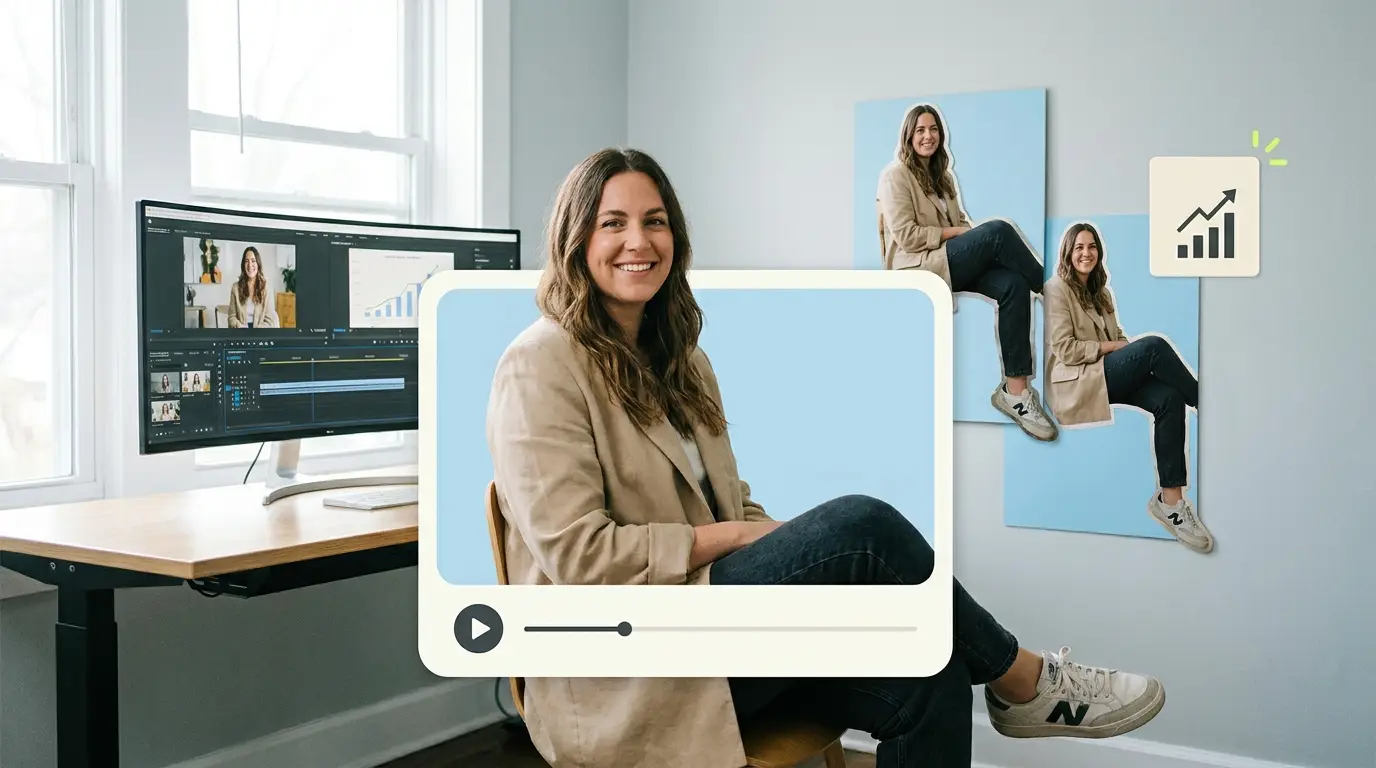
Case study video production is the work of turning a real customer outcome into a short, structured film that a prospect can watch and believe. For B2B brands, it is one of the most useful assets you can build, because buyers trust other buyers far more than they trust your sales deck. Done well, a case study video shows the problem a customer faced, the solution they chose, and the measurable results they got, all in two to three minutes. This guide walks through how to plan, shoot, and edit one, and where it belongs in your funnel.
The demand for this kind of content is not a guess. According to Wyzowl, 91% of businesses use video as a marketing tool, and 82% say a video convinced them to buy a product or service. When the buying committee is large and the contract is expensive, a credible customer story does heavy lifting that text alone cannot.
Case study video vs testimonial: the key difference
People use these terms as if they mean the same thing. They do not, and confusing them is the most common reason a finished video feels thin.
A testimonial is a customer saying nice things about you. It is short, emotional, and light on detail. It answers the question "do other people like this company?" A case study video answers a harder question: "will this actually work for a company like mine?" That requires structure, specifics, and numbers.
The practical difference shows up in the edit. A testimonial can be 30 to 60 seconds of warm soundbites. A case study video runs longer because it has to carry a narrative arc: here was the situation, here is what changed, here is the proof. If you only need short praise clips, our guide to video testimonial editing covers that format. If you need to move a deal forward, you want the case study.
The customer story structure: problem, solution, results

Every strong case study video follows the same three-act spine. You can dress it up, but you cannot skip a part without weakening the whole.
Problem. Open with the pain. What was broken before your customer found you? Bad data, slow onboarding, missed revenue, a manual process that ate forty hours a week. Specifics matter here. "We were struggling" is forgettable. "We were closing the books eleven days late every month" is a hook.
Solution. This is where you appear, but resist the urge to make it a product demo. The customer should describe what they did and why they chose you, in their own words. The focus stays on their decision and their experience, not your feature list.
Results. End with proof. Revenue up, time saved, churn down, a number on the screen. This is the section that turns a nice story into a sales tool, and it is the section most companies underinvest in because they did not collect the data early enough.
If you want a wider view of which formats earn their keep, our breakdown of B2B video content types that convert maps case studies against demos, explainers, and more.
Planning and interview prep
The shoot is only as good as the prep. Most weak case study videos fail before the camera turns on.
Start by picking the right customer. You want someone with a clear result, a willingness to talk on camera, and permission from their own marketing or legal team to share numbers. Confirm that permission in writing before you schedule anything. Nothing is worse than a great interview you are not allowed to publish.
Next, write your questions around the three-act structure, but never read them to the subject as a script. The goal is a conversation that happens to follow an arc. Good questions are open: "Walk me through what a typical week looked like before." "What made you decide to switch?" "What changed once it was running?" Avoid yes/no questions, because they produce dead air in the edit.
Send the subject a short prep note a few days out. Tell them the themes, not the exact wording, so they arrive with stories ready but sound natural rather than rehearsed. Ask them to mention specific numbers if they can, and to repeat the question inside their answer, since the interviewer's voice usually gets cut. "How long did onboarding take?" becomes "Onboarding took us about three days, which was..." That single habit saves hours in the edit.
For interviews specifically, treat the comfort of the subject as a production priority. A relaxed executive gives you usable answers. A nervous one gives you fillers and false starts.
The shoot: interview setup and b-roll

A case study video has two visual layers. The interview is the spine. B-roll is everything you cut to while the subject keeps talking.
For the interview, frame the subject slightly off center, light them so they look credible rather than glamorous, and record clean audio with a lavalier or a boom. Audio quality is the single biggest signal of whether a video looks professional. Viewers forgive soft focus. They do not forgive muddy sound.
B-roll is what separates a case study from a talking head. You want footage of the customer's actual environment: their team working, their product, their office, the dashboard your software produces, the factory floor, whatever is real and relevant. Shoot more than you think you need. A common rule is three to five times as much b-roll as you expect to use, because the edit will eat it.
When you capture b-roll, think in terms of the story beats. You will need "before" imagery that feels like friction and "after" imagery that feels like calm and control. If you cannot shoot on location, screen recordings, animated charts, and stock that closely matches the customer's world can fill gaps. The point is to give the editor enough material to never sit on a static face for too long.
Pulling metrics onto the screen
The results section is where case study video production earns its name, and it lives or dies on how you handle numbers.
Collect the metrics before the shoot, not after. Ask the customer for two or three hard figures and the source behind each, so you are not putting a number on screen you cannot defend. Percentage improvements, dollars saved, hours reclaimed, and time-to-value all work well.
In the edit, animate these numbers rather than just speaking them. A figure that counts up, a clean bar that grows, or a simple before/after comparison holds attention and makes the result feel concrete. Keep the design restrained. One number per screen, large type, plenty of breathing room. A cluttered chart undoes the credibility you are trying to build.
Always attribute the figure on screen if you can: "Source: customer's internal reporting, Q3." That small line of text signals honesty and protects you if anyone asks. Sales teams that use these videos in deals will thank you, and our piece on B2B sales enablement video explains how reps actually deploy them in a pipeline.
How long should a case study video be?

Length is a strategy decision, not a default. The right answer depends on where the video will live.
For the top of a landing page or a social feed, aim for 90 seconds to two minutes. This is the version most people will watch all the way through, and it should hit problem, solution, and one or two headline results. For a sales conversation or a resource hub where the viewer is already engaged, you can run three to five minutes and include more detail and more proof points.
A useful habit is to edit the long version first, then cut it down to a short hero version and a handful of 15 to 30 second clips for social. One shoot produces a whole library that way. If you are mapping these assets to where buyers actually are, our guide to video content strategy for B2B buyers lays out the funnel logic.
Where the case study video fits in the funnel
Case study videos are usually framed as bottom-of-funnel proof, and they do their best work there. A prospect who is close to deciding watches a peer describe the same problem and the same win, and the remaining doubt drops.
But the format is more flexible than that. Short clips from the same video work as top-of-funnel social content that builds awareness without a hard sell. The full version works as mid-funnel education when a lead is comparing options. And the results section, pulled out on its own, makes a strong addition to a proposal or a follow-up email. Industry data backs the placement: HubSpot's roundup of video marketing statistics shows buyers consistently rank video among the most persuasive content when evaluating a purchase.
The mistake is treating the video as a one-time asset. Plan from the start to slice it for multiple stages, and the production budget pays for itself across the whole funnel.
What it costs to produce
Case study video production spans a wide range, and the right number depends on whether you are buying the shoot, the edit, or both.
Hiring an in-house video editor runs about $55,000 to $75,000 per year according to ZipRecruiter, before you add gear and management overhead. Freelance editors typically charge $75 to $250 per video depending on complexity. A full-service agency that handles the shoot and the edit can run anywhere from $500 to $5,000 or more per project, and the market overall sits in the $500 to $3,000 range for ongoing editing work.
The shoot itself is a separate line. Many B2B teams now capture interview and b-roll footage in-house or with a local crew, then hand the raw material to an editing partner who turns it into the finished, animated, captioned video. That split keeps costs predictable and turnaround fast.
What Pixel8 Production offers
Pixel8 Production is a done-for-you B2B video editing subscription. You capture the interview and the b-roll, or send us what you already have, and a dedicated editor turns it into a polished case study video with animated metrics, captions, and clean audio.
The price is $2,000 to $3,200 per month, flat. You get a dedicated editor who learns your brand, a 48-hour turnaround on most edits, and the ability to slice each shoot into a hero video plus social cuts without paying per project. That model suits B2B teams producing case studies on a steady cadence rather than one a year.
If you would rather hand off editing entirely and keep a predictable monthly cost, our done-for-you video editing service page covers how the subscription works in detail.
Bottom line
A B2B case study video is not a testimonial with extra steps. It is a structured customer story built around problem, solution, and proof, and it earns its budget by moving deals forward when a buyer is deciding. Get the prep right, capture enough b-roll, collect your metrics before the shoot, and edit one strong version you can slice into many. If editing is the bottleneck, a subscription like Pixel8 Production at $2,000 to $3,200 per month gives you a dedicated editor and a 48-hour turnaround so the only thing you have to manage is the story.
Where to go from here
Frequently asked questions
What is the difference between a case study video and a testimonial?
A testimonial is short praise, usually 30 to 60 seconds of a customer saying they like you. A case study video is longer and structured around problem, solution, and measurable results. The case study is built to persuade a skeptical buyer, while the testimonial mostly builds warmth and trust.
How long should a B2B case study video be?
For landing pages and social, aim for 90 seconds to two minutes. For sales conversations or resource hubs where the viewer is already engaged, three to five minutes works. The best approach is to edit a long version first, then cut a short hero version and several social clips from the same footage.
How do I prepare a customer for the interview?
Pick someone with a clear result and written permission to share numbers. Send a short prep note covering the themes a few days out, but never a full script. Ask them to repeat the question inside their answer and to mention specific figures, which makes the edit far cleaner.
How much b-roll do I need for a case study video?
Capture three to five times more b-roll than you expect to use. Focus on the customer's real environment: their team, their product, their dashboards, their workspace. You want footage that visually represents both the "before" friction and the "after" result, so the editor never has to sit on a static talking head.
How should I show metrics on screen?
Collect two or three hard numbers before the shoot, along with the source for each. In the edit, animate them with count-ups or simple growing bars, one number per screen, with large type. Add a small attribution line so the figures feel credible and defensible.
Where does a case study video fit in the funnel?
It does its best work at the bottom of the funnel as decision-stage proof, where a peer's story removes a prospect's last doubts. Short clips also work at the top of the funnel for awareness, and the results section can strengthen proposals and follow-up emails.
What does case study video production cost?
A freelance editor charges $75 to $250 per video, an in-house editor costs $55,000 to $75,000 per year, and agencies run $500 to $5,000 or more per project. The broader market for ongoing editing sits in the $500 to $3,000 range. Pixel8 Production is a flat $2,000 to $3,200 per month with a dedicated editor and 48-hour turnaround. A $900 trial is available to test the service before committing to a monthly plan.

Prakhar Mehta
Pixel8 is a done-for-you video editing subscription, giving SaaS companies, agencies, and founders a dedicated editing team with 48-hour turnaround.
Ready to stop doing this yourself?
Get a dedicated video editing team. 48-hour turnaround, unlimited revisions, month-to-month.