B2B Sales Enablement Video: Close More Deals Faster
Build a B2B sales enablement video library that converts at every deal stage. Learn the 5 video types, production workflow tips, and how to keep it fresh.
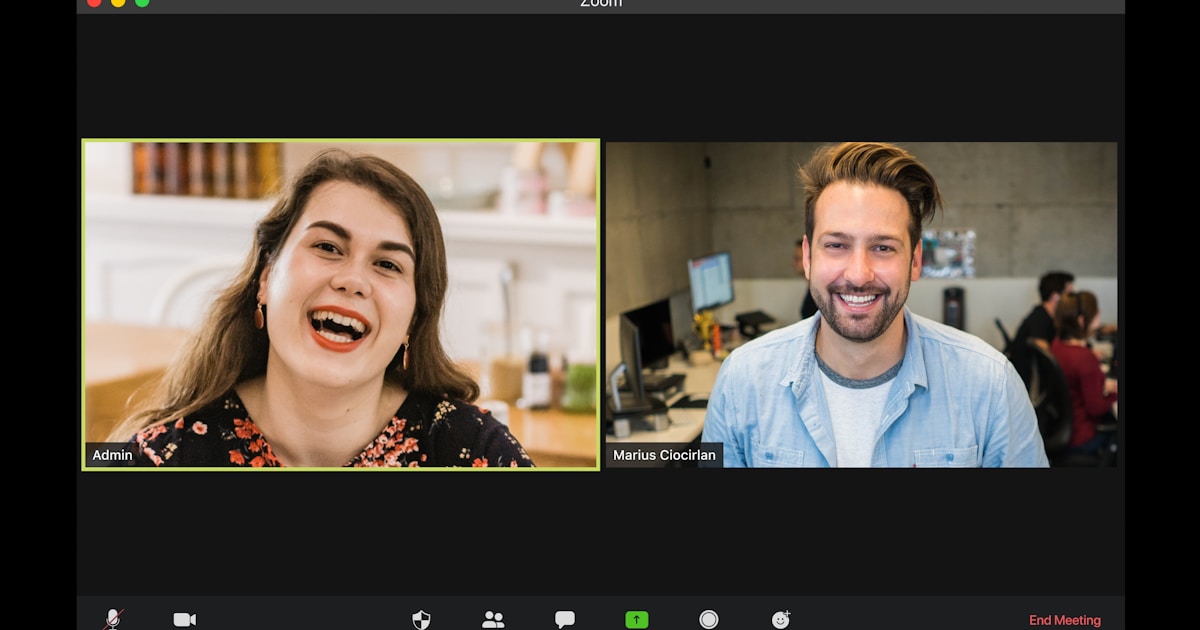
If your sales reps are still sending walls of text to cold prospects while your competitors send a 60-second personalized video, you already know which team closes faster. B2B sales enablement video is no longer a nice-to-have tactic reserved for enterprise marketing departments. According to data from Vidyard, 74% of B2B sales professionals report that video has helped them maintain or increase their productivity, and video is now embedded across the sales cycle from cold outreach clips to post-demo follow-ups. Teams that build a structured video library around the sales cycle report shorter average sales cycles and a 40% higher meeting booking rate from prospecting sequences.
The challenge most B2B sales teams face is not understanding that video works. The challenge is producing enough of the right video types, keeping them current, and making them easy for reps to actually use. That is what this guide covers.
Why B2B sales teams need video now
Decision-makers receive dozens of cold emails every day. In that context, a short personalized video is a genuine pattern interrupt. Beyond the novelty factor, the numbers back it up. 84% of video marketers report video has directly contributed to closed revenue, and 93% report positive ROI. Companies that integrate video across their sales motion grow revenue 49% faster on average than those relying on text-only content.
Beyond this, buyer preferences have shifted. 96% of B2B buyers say they prefer video when learning about a product or service, and 81% say they trust video more than written content when evaluating vendors. If your sales reps are sending a 10-page PDF as their first touchpoint, you are asking prospects to do the heavy lifting for you.
There is also a funnel-wide benefit. Adding video to a landing page lifts conversion rates by 80-86%. Personalized video in outreach sequences outperforms generic clips by 41%. At the proposal stage, a short summary video embedded alongside the deck can be the difference between a prospect reading your proposal the same day and it sitting unopened for two weeks.
In short, B2B sales enablement video works across every stage of the funnel, from cold outreach to contract close.
The 5 video types that close B2B deals
Not all sales videos serve the same purpose. Building a library means understanding which video type belongs at which stage. Here are the five that consistently drive results for B2B teams.
1. The prospecting clip
This is a short, semi-personalized video, typically 30 to 90 seconds, sent as part of a cold outreach sequence. The first 10 to 15 seconds should reference something specific about the prospect: their company, a recent announcement, or a pain point relevant to their role. The remainder can be a pre-recorded core segment that communicates your value proposition for their industry or persona.
The key here is efficiency. You should not be recording a fully custom video for every cold prospect. Instead, record a strong core segment once, then film brief personalized intros for each target account. A well-produced core segment from your video library eliminates the need to re-explain your offering from scratch each time.
2. The demo highlight

Full product demos run long. In reality, most prospects will not watch more than five minutes before making a mental judgment. A demo highlight video, therefore, is a curated 2 to 4 minute cut of the moments that matter most: the specific feature relevant to the prospect's use case, the outcome it produces, and a brief look at the UI in action.
For example, if you sell marketing automation software and your prospect is a demand generation manager, your demo highlight should show lead scoring, campaign attribution, and reporting, not onboarding flows or admin settings. Reps who can pull the right demo highlight from a shared library instantly have an edge over reps who are improvising a live screen share.
3. The objection handler

Every sales team hears the same objections repeatedly. Price, integrations, security, ROI timeline, switching cost. These objections deserve a pre-recorded, polished response. An objection handler video is typically 60 to 120 seconds and addresses one specific concern with a clear, confident answer backed by evidence: a customer example, a data point, or a quick visual walkthrough.
The format is simple: acknowledge the concern, show you have heard it before, present the counter-evidence, and end with a clear next step. Reps can share these videos after a call where an objection surfaced or embed them in a follow-up email sequence. As a result, the prospect gets a consistent, well-reasoned response rather than whatever the rep managed to recall in the moment.
4. The case study or customer story

Social proof closes B2B deals. 52% of top-performing B2B sales videos are customer testimonials or case study formats. A well-produced customer story video does three things simultaneously: it builds credibility, it handles objections by proxy, and it lets a peer speak to the value in terms your prospects recognise.
The most effective case study videos are under three minutes and follow a clear arc: problem, solution, measurable result. Testimonial snippets can be extracted as standalone clips for use in outreach, or embedded at the bottom of a proposal. Either way, you want a library of these organised by industry vertical and pain point so reps can reach for the most relevant one without searching through a shared drive for 20 minutes.
For guidance on producing polished customer story content, the team at Pixel8's video testimonial editing service handles the post-production side so your raw interviews come back as tight, brand-consistent clips ready for rep use.
5. The proposal summary video

Sending a proposal is not the end of the sales conversation; it is often where deals stall. A short video recorded after the proposal is submitted, typically two to three minutes, walks the prospect through the key points, clarifies pricing, and reinforces the value rationale tailored to what you learned in discovery. This format dramatically reduces the "I haven't had time to review it yet" delay because it makes it easy for the prospect to engage with your proposal in under three minutes.
In practice, a proposal summary video also helps your internal champion sell internally. When your contact shares the proposal with their CFO or IT lead, the video gives those stakeholders a fast, clear summary without requiring a second call to repeat the pitch.
Building a reusable B2B sales video library
Producing individual videos is not the same as building a library. A library is organised, searchable, current, and actually used by reps. Most B2B sales teams produce too much content that nobody opens. The solution is to start with fewer, higher-quality assets and organise them by function.
A practical structure for a B2B sales video library looks like this:
- By stage: prospecting, demo, objection handling, proposal, post-sale
- By vertical: SaaS, manufacturing, financial services, healthcare, and so on
- By objection type: pricing, security, integration, ROI timeline
- By prospect persona: VP Sales, CTO, CFO, Demand Generation Manager
Each video should have a clear filename convention, a thumbnail that displays correctly in your CRM or sales engagement platform, and a short text summary reps can read before deciding whether to use it. If reps cannot find the right video in under 60 seconds, the library will go unused.
Schedule quarterly reviews to retire outdated content and fill new gaps. If a product feature changed six months ago, the demo highlight referencing the old UI needs to come out of rotation. Likewise, if a new competitor entered the market, a fresh objection handler addressing that comparison should go in.
Building a broader content engine beyond the sales library requires this same disciplined approach to organisation and governance applied at the full content strategy level.
Production workflow for B2B sales teams
The most common mistake B2B sales teams make with video is treating each clip as a bespoke production project. That approach kills momentum and results in a library that never reaches critical mass. A more effective production workflow batches similar content and separates recording from editing.
Here is a workflow that scales:
Step 1: Script bank. Before any recording session, create a bank of approved scripts or talking points for each video type. These do not need to be word-for-word scripts; key messaging with a clear opening, body, and call to action is enough. Your best reps should contribute to this based on what they know works in live calls.
Step 2: Batch recording sessions. Schedule one focused recording session per week or bi-weekly. In a two-hour session, a rep can record 10 to 15 short clips if the scripts are ready. Use consistent framing, lighting, and branded lower-thirds so every clip looks like it came from the same professional team.
Step 3: Dedicated editing. Raw recordings rarely go straight to prospects. They need intros, outros, branded motion graphics, captions, and accurate colour grading. This is not work your reps should be doing. Editing each video in-house typically takes 3 to 5 times longer than recording it, which is the point at which most in-house video programs grind to a halt.
Step 4: Library upload and tagging. Once edited, each video is uploaded to your sales enablement platform or CRM with the correct tags, a thumbnail, and a description. HubSpot Video, Vidyard, and Loom all have native integrations for this. The edited asset should arrive CRM-ready, not as a raw file your ops team has to process.
Step 5: Rep training. The best library in the world fails if reps don't know it exists or don't know when to use each video. Short, internal training clips, which are themselves part of the library, explaining when to deploy each asset close the loop on adoption.
Understanding which B2B video content types perform best at each funnel stage helps ensure your library is structured around conversion, not just content volume.
How a subscription editor keeps the sales video library fresh
The bottleneck for most B2B sales video programs is not recording; it is editing. Your reps can record clips consistently, but without a reliable editing partner, those files pile up on a shared drive and the library stagnates.
This is the exact problem a subscription-based editing service solves. Pixel8 works as a dedicated editing partner for B2B teams, handling the full post-production workflow: motion graphics, brand-consistent colour grading, captions, music, intros, and platform-optimised exports. At around $2,000 to $3,200 per month, your team gets consistent turnaround on an ongoing volume of edits without the overhead of hiring an in-house editor or the unpredictability of freelancers.
In practice, this means your sales team records raw clips and submits them to Pixel8. Edited assets come back branded, polished, and ready to upload to your CRM. When a product feature changes or a new case study needs a video treatment, the turnaround is fast enough that your library stays current rather than falling six months behind reality.
The alternative, asking reps to self-edit or relying on a marketing team already stretched across multiple channels, typically produces inconsistent output and rep frustration. Reps who trust that their video assets look professional are far more likely to use them. That adoption gap between libraries that exist and libraries that get used is where subscription editing makes the biggest practical difference.
For context on how video performs once your assets are live and embedded in your funnel, the data on video landing page conversion rates shows how significant the lift can be when polished video replaces static copy.
Integrating sales video into your broader content strategy
A sales video library does not exist in isolation. The most effective B2B teams connect their sales video content to their broader distribution channels: LinkedIn, YouTube, and the company blog. Case study videos that close deals in a sales sequence also perform well as organic LinkedIn content. Demo highlights posted on YouTube reach prospects who are actively researching your category before a rep ever contacts them.
This content overlap is why your LinkedIn video strategy for B2B brands and your sales enablement library should share assets rather than operate as separate production tracks. One well-produced case study video, for instance, can serve as a sales email attachment, a LinkedIn post, a website testimonial, and a post-demo follow-up clip. That is four distribution touchpoints from a single editing project.
In addition, the data from your sales sequences tells you which videos actually get watched and which get ignored. That information should flow back into your content decisions. If your pricing objection handler video consistently gets replayed, it means that concern is active and worth addressing in your organic content too.
Conclusion
B2B sales enablement video is most effective when it operates as a system rather than a collection of one-off clips. The teams that see the strongest results build a library structured around the five video types that match deal stages, establish a repeatable production workflow that separates recording from editing, and maintain the library with a consistent editing partner so assets stay current and reps actually use them.
The fundamental constraint is editing throughput, not ideas. Your reps know what to record. The question is whether polished, brand-consistent assets come back fast enough to keep pace with a live sales motion. That is precisely what Pixel8's subscription model, at $2,000 to $3,200 per month, is designed to solve for B2B teams who want their video library to be a reliable sales asset rather than an aspirational project.
Where to go from here
Frequently asked questions
What is a B2B sales enablement video?
A B2B sales enablement video is any video asset that helps a sales representative move a deal forward. This includes prospecting outreach clips, product demo highlights, objection handler videos, customer case studies, and proposal summary recordings. Unlike marketing videos designed to build brand awareness, sales enablement videos are tactical: they address a specific stage of the buying process and are deployed directly by reps in one-to-one or small-group sales conversations.
How long should a sales enablement video be?
Video length depends on the stage of the deal. Prospecting clips should run 30 to 90 seconds to capture attention quickly in a crowded inbox. Demo highlights work best at two to four minutes, covering only the features relevant to the specific prospect. Objection handler and proposal summary videos typically run 60 to 180 seconds. For late-stage technical deep-dives with high-intent buyers, five to eight minutes is acceptable. In all cases, brevity signals respect for the buyer's time.
What types of video content are most effective for B2B sales?
The five most effective B2B sales video types are the prospecting clip, the demo highlight, the objection handler, the customer case study or testimonial, and the proposal summary video. Of these, customer story videos carry the highest credibility weight because they let a peer speak to the outcome in terms your prospect recognises. Short personalized prospecting clips have the highest immediate impact on cold outreach response rates.
How do you build a B2B sales video library?
Start by auditing your sales process to identify the stages where deals stall most often. Those are your priority video slots. Record batch sessions using approved scripts, then route raw footage to a dedicated editing partner. Organise completed videos by deal stage, vertical, and objection type. Upload to your CRM with consistent naming conventions and thumbnails. Schedule quarterly reviews to retire outdated clips and add new assets as your product and competitive situation evolves.
Does personalised video actually increase reply rates in B2B cold outreach?
Yes, the data is consistent. Organisations that incorporate video into prospecting sequences report 40% higher meeting booking rates compared to text-only outreach. Personalised video that references something specific about the prospect outperforms generic clips by 41%. The key is efficiency: record a strong core segment once, then film short personalised intros for each target account so the volume of outreach does not slow down while still feeling tailored.
How often should you update your sales video library?
A quarterly review cadence is the minimum for most B2B teams. At each review, retire videos that reference outdated product features, discontinued pricing tiers, or competitors that are no longer relevant. Add new videos to address objections that have emerged in recent calls, new customer stories from recent wins, and any new product capabilities worth highlighting. If your product ships updates frequently, a monthly review of your demo highlights is more appropriate.
Can a small sales team justify the cost of producing sales enablement videos?
Yes, and often more so than a large team. A small team with a tight library of 10 to 15 well-produced videos covering the most common sales scenarios can operate as effectively as a larger team with unstructured video assets. The return on a single well-placed case study video that helps close a five-figure deal typically exceeds the cost of producing the entire library. A subscription editing partner keeps ongoing production costs predictable, which is important when budget flexibility is limited.

Prakhar Mehta
Pixel8 is a done-for-you video editing subscription, giving SaaS companies, agencies, and founders a dedicated editing team with 48-hour turnaround.
Ready to stop doing this yourself?
Get a dedicated video editing team. 48-hour turnaround, unlimited revisions, month-to-month.