HubSpot Video Marketing: A B2B Guide
A practical guide to HubSpot video marketing for B2B teams: embed video in emails and pages, track engagement in your CRM, and keep your pipeline full.
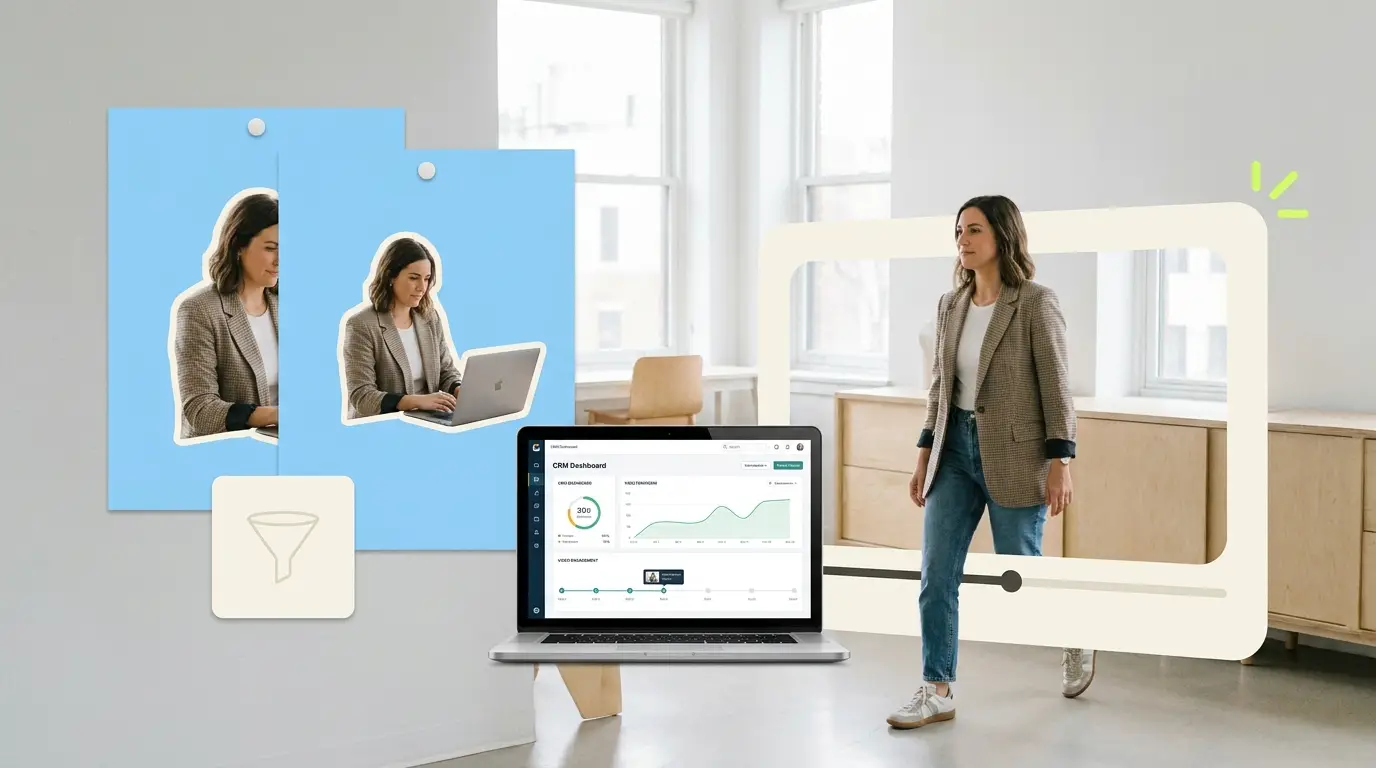
HubSpot video marketing is one of the more practical ways B2B teams turn a CRM into a content engine that actually moves deals. If your company already runs marketing emails, landing pages, and sales sequences through HubSpot, video is not a separate channel you bolt on later. It belongs inside the workflows you already use every day. This guide walks through how B2B teams put video to work across a HubSpot-driven funnel, what kinds of videos fit each stage, how to read the engagement data your CRM collects, and how a subscription editor keeps the whole pipeline from stalling.
Video already carries a lot of weight in buying decisions. According to Wyzowl, 91% of businesses use video as a marketing tool, and 82% of people say a video convinced them to buy a product or service. For a B2B team, the question is rarely whether to use video. It is how to deliver the right video to the right contact at the right moment, and how to know whether it worked.
Why HubSpot is a natural home for B2B video
HubSpot is a CRM and marketing platform. It stores contact records, tracks how people interact with your emails and pages, and lets you automate outreach based on that behavior. When you embed video inside those touchpoints, every play, pause, and click becomes another signal attached to a contact record.
That matters because B2B buying is rarely a single decision. A typical deal involves several stakeholders, a long evaluation, and a lot of internal forwarding. Video that lives inside your CRM workflow gives you a clearer picture of who is watching, how far they get, and which topics hold attention. Instead of guessing, you build a content strategy around behavior you can actually see.
If you are still deciding which formats to produce, our guide to B2B video content types that convert pairs well with everything below. The point of this article is connecting those formats to the HubSpot stages where they do the most work.
Mapping video to each stage of a HubSpot workflow
A HubSpot-driven funnel usually breaks into a few familiar phases: attract, nurture, and close, followed by onboarding and retention once a contact becomes a customer. Different videos fit each phase. Forcing one long explainer into every email is a common mistake. Short, specific videos almost always outperform a single catch-all asset.
Top of funnel: attract and educate
Early-stage contacts do not know you yet, and they are not ready for a demo. The videos that work here answer a question or frame a problem. Think short explainers, thought-leadership clips, or a 60-second take on an industry shift.
In HubSpot, these live on blog posts, pillar pages, and gated landing pages. A landing page with a clear explainer video and a simple form tends to convert better than a wall of text. The video earns enough trust to justify the form fill. Keep these assets broad and evergreen so they keep working as you drive paid and organic traffic to them.
Middle of funnel: nurture and qualify

Once a contact is in your database, HubSpot lets you trigger emails and sequences based on what they do. This is where video email starts to pay off. A customer story, a feature walkthrough, or a recorded answer to a common objection fits naturally inside a nurture email.
You can embed video in HubSpot marketing emails, and a thumbnail with a play button usually earns more clicks than a plain text link. The click takes the viewer to a tracked landing page where the full video plays, and HubSpot logs the visit against the contact record. Now your nurture sequence can branch: contacts who watched the case study get one follow-up, those who did not get a different nudge. For a deeper look at sequencing content to buyer intent, see our breakdown of video content strategy for B2B buyers.
Bottom of funnel: close

Sales reps using HubSpot sequences can drop personalized or semi-personalized video into outreach. A short walkthrough tailored to a prospect's use case, a recorded answer to a pricing question, or a quick founder message can break through a stalled thread. Because the play data flows back into the CRM, a rep can see when a prospect rewatched a demo clip the night before a decision meeting. That is a useful prompt to follow up.
Post-sale: onboard and retain

Video does not stop at the close. Onboarding tutorials, product update clips, and customer education series reduce support load and improve retention. Routed through HubSpot's customer workflows, these videos go out automatically as accounts hit certain milestones, so your team is not manually sending the same walkthrough fifty times.
Embedding and tracking: how the mechanics work
The practical value of HubSpot video marketing comes down to two things: getting video in front of contacts inside existing workflows, and capturing what they do with it.
For embedding, most teams host video on a platform that supports tracking, then place it on HubSpot landing pages and link to it from emails. Many teams use HubSpot's own video tools where available, or a connected hosting platform. The principle is the same regardless of host: you want a player that reports back watch data you can tie to a contact.
For tracking, the signals you care about are play rate, watch time or completion rate, and what the viewer does next. Play rate tells you whether your thumbnail and context are compelling. Completion rate tells you whether the content holds up. The next action, a form fill, a reply, a pricing-page visit, tells you whether the video moved the deal. These are the same engagement metrics that matter across any video program. Our guide on how to measure video marketing ROI covers how to connect those numbers to revenue rather than vanity counts.
A word of caution on data. HubSpot reports the interactions it can capture, and exact capabilities depend on your subscription tier and how your video host is connected. Treat the numbers as directional signals about content quality and intent, not as a perfect record of every human who watched.
What kinds of videos to produce, and how often
A working HubSpot video program needs a steady mix, not one big launch. Here is a practical starting set for a B2B team:
- Short explainers for top-of-funnel pages, 60 to 90 seconds each.
- Customer stories and case studies for nurture emails, two to three minutes.
- Feature walkthroughs and demos for the middle and bottom of the funnel.
- Recorded objection-handling clips reps can drop into sequences.
- Onboarding and product-update videos for existing customers.
The hard part is not the first video. It is the second, the tenth, and the thirtieth. B2B teams routinely stall after the initial burst because editing capacity dries up. A funnel that needs fresh case studies, updated demos, and seasonal campaign clips will outrun a single overloaded marketer or a one-off agency project fast.
Quantity does not mean lowering the bar. HubSpot's own research on video marketing shows that consistent, useful video correlates with stronger engagement. The goal is a reliable cadence of well-made clips, each mapped to a stage, feeding the workflows you already run.
The production bottleneck most B2B teams hit
Filming is usually the easy part. Plenty of teams have a phone, a webcam, a screen recorder, and a willing subject-matter expert. The bottleneck is editing: cutting raw footage, adding captions and brand graphics, sizing clips for email versus landing page, and turning all of it around fast enough to stay relevant.
There are a few common ways to solve this, each with tradeoffs.
Hiring an in-house editor gives you dedicated capacity, but it is a real commitment. According to ZipRecruiter, a full-time video editor typically costs $55,000 to $75,000 per year before benefits and software. That makes sense at high volume, less so when output is uneven.
Freelancers are flexible. Per-video rates commonly run $75 to $250, which is fine for occasional work but gets unpredictable when you need a steady stream and consistent quality. Quality and availability vary, and onboarding a new freelancer for every burst eats time.
Agencies handle larger, more produced campaigns, often $500 to $5,000 or more per project. Strong for a flagship brand film, heavy for the weekly drumbeat of clips a HubSpot funnel needs.
The general market for video editing help ranges from roughly $500 to $3,000 depending on scope and provider. The mismatch for most B2B teams is not price. It is matching a steady, moderate volume of edits to a model built for either one-off projects or full-time headcount.
What Pixel8 Production offers
Pixel8 Production is a done-for-you B2B video editing subscription built for exactly this problem: a team that has footage and a HubSpot funnel that needs feeding, but no reliable editing capacity.
The model is straightforward. You pay $2,000 to $3,200 per month and get a dedicated editor who learns your brand, your templates, and the formats your HubSpot workflows need. Turnaround is 48 hours on most edits, so a case study filmed Monday can be live in a nurture sequence by Wednesday. Revisions are unlimited, which matters when a clip needs to match brand standards or a stakeholder wants one more pass before it goes to your contact list.
Compared with the alternatives, the subscription sits between freelance unpredictability and the fixed cost of a full-time hire. You get consistent output and a single point of contact without managing a roster of freelancers or carrying a salaried role through slow months. If you want the full breakdown of how the model works, see our overview of the done-for-you video editing service.
The practical effect on a HubSpot program is that the pipeline stops stalling. Instead of one explainer that goes stale, you get a rolling supply of clips: new customer stories for nurture, refreshed demos for sales sequences, onboarding updates for retention. The CRM stays full of fresh, trackable assets, and your team spends its time on strategy and outreach rather than wrestling with timelines in editing software.
Measuring whether it is working
The reason to run video inside HubSpot rather than off to the side is measurement. Once a few campaigns have run, look at the patterns. Which videos drove the most form fills? Which case study correlated with faster deal progression? Where do viewers drop off, and does shortening a clip improve completion?
Tie those observations back to revenue, not just plays. A video with a modest view count that consistently precedes closed deals is worth more than a viral clip that never converts. Our guide to video marketing ROI for B2B lays out how to attribute pipeline and revenue to specific assets so you can double down on what works and retire what does not.
Then feed those findings back into production. That is the loop a subscription editor makes easy: you learn what converts, you commission more of it, and the turnaround is fast enough that you act on insight while it is still fresh.
Bottom line
HubSpot video marketing works best when video is a standard part of the workflows you already run. Map video types to each funnel stage, embed them where contacts already engage, and read the CRM signals that show what moves deals. A subscription editor at $2,000 to $3,200 per month, with 48-hour turnaround and unlimited revisions, turns a stop-start effort into a steady cadence so your funnel always has fresh, trackable video.
Where to go from here
Frequently asked questions
Can you embed video directly in HubSpot emails?
You can include video in HubSpot marketing emails, typically as a clickable thumbnail with a play button that links to a tracked landing page where the full video plays. This approach is more reliable across email clients than trying to autoplay video inside the inbox. The click and the subsequent watch both register against the contact record.
What video data does HubSpot track?
HubSpot can record interactions it is able to capture, such as page visits where a video is embedded and clicks on video links, and it ties those events to contact records. Detailed watch data like play rate and completion usually depends on the video host you connect and your subscription tier. Treat the numbers as directional signals about content quality and intent rather than a perfect log.
What length should B2B marketing videos be?
It depends on the funnel stage. Top-of-funnel explainers usually work best at 60 to 90 seconds, while nurture-stage case studies can run two to three minutes. Sales and onboarding clips should be only as long as the task requires. Shorter, specific videos generally outperform one long catch-all asset.
How many videos does a HubSpot funnel need?
There is no fixed number, but a working program covers each stage: explainers for the top, case studies and walkthroughs for the middle and bottom, and onboarding clips for customers. Most teams stall not on the first video but on maintaining a steady cadence. A reliable monthly output beats a single big launch that goes stale.
Should I hire an editor, use freelancers, or a subscription?
It comes down to volume and consistency. A full-time editor costs $55,000 to $75,000 a year and makes sense at high, steady volume. Freelancers run $75 to $250 per video and suit occasional work. A subscription like Pixel8 at $2,000 to $3,200 per month fits teams that need a steady, moderate stream of edits without the cost of a full-time hire.
How fast can videos be produced for a campaign?
With Pixel8's subscription model, most edits turn around in 48 hours, so footage filmed early in the week can be live in a HubSpot sequence within days. Speed matters because B2B campaigns and customer stories lose relevance quickly. Fast turnaround lets you act on engagement data while it is still fresh.
Do I need expensive equipment to start?
No. Many effective B2B videos start from a webcam, a screen recording, or a phone, plus a subject-matter expert willing to talk. The polish comes in editing: captions, brand graphics, trimming, and formatting for each placement. That is the part most teams outsource so internal staff can focus on strategy.

Prakhar Mehta
Pixel8 is a done-for-you video editing subscription, giving SaaS companies, agencies, and founders a dedicated editing team with 48-hour turnaround.
Ready to stop doing this yourself?
Get a dedicated video editing team. 48-hour turnaround, unlimited revisions, month-to-month.