Best AI Video Editing Tools for Business in 2026
A practical guide to the best AI video editing tools for business, what each one does well, where it falls short, and when a done-for-you editor wins.
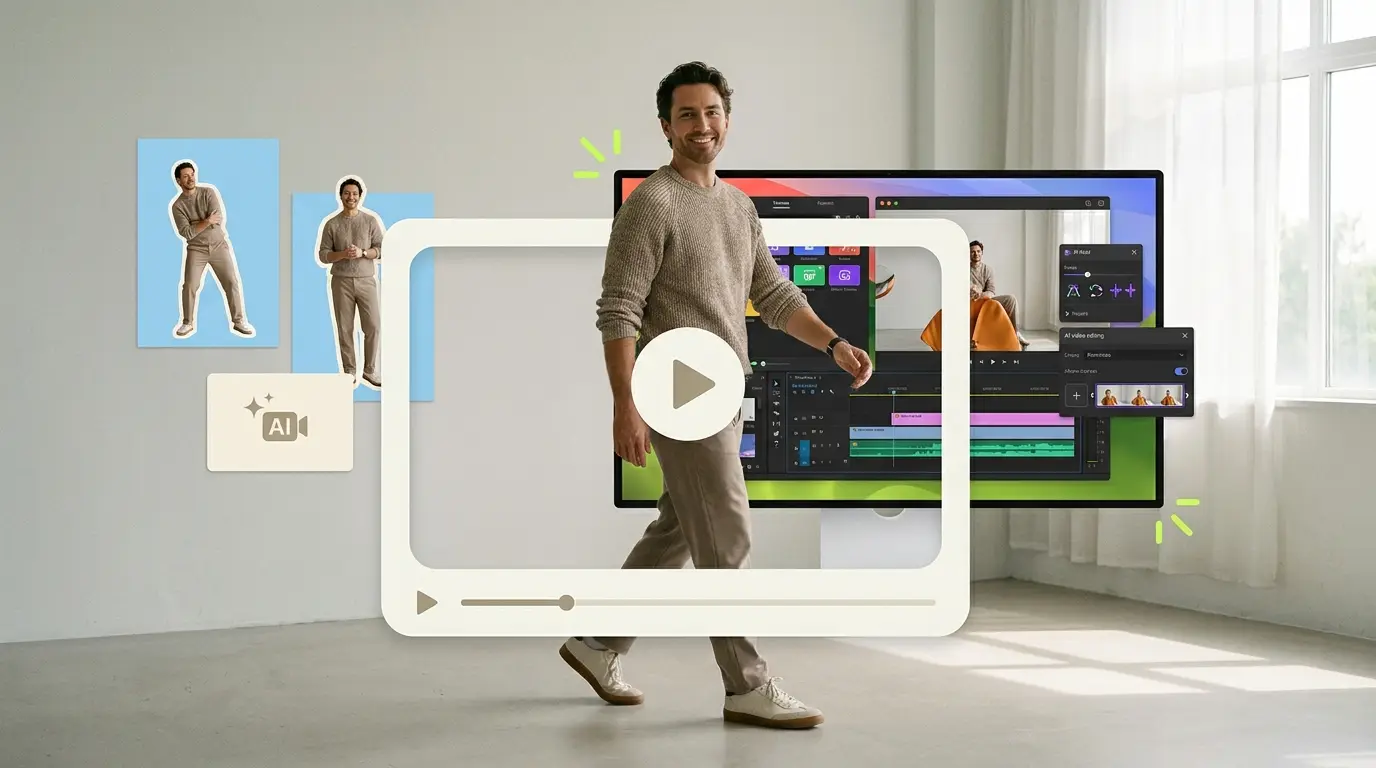
Choosing the best AI video editing tools for business has gotten harder, not easier. Every month brings a new app promising to cut your editing time in half, write your captions, and clip your long videos into viral shorts. Some of that promise is real. Some of it is marketing. This guide walks through the tools that actually earn a place in a business workflow, organized by what each one is good at, where it struggles, how steep the learning curve is, and roughly what tier of pricing to expect. The honest takeaway up front: AI tools handle the mechanical parts well, but they still need human judgment for pacing, story, and brand consistency, which is exactly where a done-for-you editor fits.
Video is no longer optional for most companies. Wyzowl reports that 91% of businesses use video as a marketing tool, and 82% say a video convinced them to buy a product or service. That kind of demand puts real pressure on small teams to produce more video, faster, without a full production department. AI editing tools are one answer. A managed service is another. Most companies end up using some mix of both.
How to think about AI video editing tools
Before comparing specific products, it helps to separate the jobs you are actually hiring a tool to do. AI video editing software tends to cluster around a few use cases:
- Transcription-based editing, where you edit video by editing text.
- Quick social edits, where you trim, caption, and resize for vertical platforms.
- Generative and visual effects, where AI creates or transforms footage.
- Repurposing long content, where AI finds the best moments and clips them.
- Auto-captioning and accessibility, where speech becomes on-screen text.
A tool that is excellent at one of these can be mediocre at the others. Trying to force a single app to do everything is how teams end up frustrated. Match the tool to the job, and you will get far better results.
Descript: editing video like a document

Descript is built around a simple idea. It transcribes your footage, and you edit the video by editing the transcript. Delete a sentence in the text, and the corresponding video disappears. This is genuinely useful for talking-head content, podcasts, interviews, and webinars where most of your edits are about cutting filler and tightening dialogue.
Good at: Removing "ums," cutting tangents, and producing clean talking-head edits quickly. Its overdub and filler-word removal features save real time on spoken-word content.
Limits: It is less suited to fast-paced, visually driven edits with heavy effects or motion graphics. Complex multi-camera or cinematic work still belongs in a traditional editor.
Learning curve: Gentle. If you can edit a Google Doc, you can do a basic Descript edit in an afternoon.
Price tier: Subscription, with a free tier and paid plans that scale by features and export quality.
CapCut: fast social edits
CapCut became popular for a reason. It makes short-form vertical video quick to produce, with templates, trending effects, auto-captions, and a low barrier to entry. For a social media manager who needs to turn around platform-native clips daily, it is a practical workhorse.
Good at: Speed and social-first formatting. Templates and effects let one person produce a lot of vertical content without deep editing skills.
Limits: Brand consistency can suffer when you lean on trending templates, and the output can start to look like everyone else's. It is built for volume more than polish.
Learning curve: Low. The interface is approachable, though mastering the advanced features takes practice.
Price tier: Free tier with paid upgrades for premium effects, assets, and higher resolution.
Runway: generative and visual effects

Runway sits in a different category. It is a generative AI platform that can create video from text prompts, apply visual effects, remove backgrounds, and do frame-level transformations that would take hours by hand. For teams experimenting with AI-generated B-roll or stylized visuals, it opens doors that did not exist a few years ago.
Good at: Generative video, advanced effects, and creative experimentation. It is a strong fit for marketing teams that want distinctive, non-stock visuals.
Limits: Output quality varies, generative results need careful direction, and it is not a general-purpose editor for assembling a full business video. Costs can climb with heavy generation use.
Learning curve: Moderate to steep, depending on how far you push the generative features.
Price tier: Credit-based subscription, where generation consumes credits.
Opus Clip: repurposing long video into shorts
Opus Clip and similar tools solve a specific problem. You have a long video, a webinar, a podcast, a recorded talk, and you want short clips for social. The AI scans the footage, identifies moments it predicts will perform well, adds captions, and reframes to vertical automatically.
Good at: Turning one long asset into many short clips fast. For teams sitting on hours of recorded content, this is an efficient first pass.
Limits: The AI's idea of a "good moment" does not always match yours. The clips usually need human review for context, accuracy, and whether the hook actually lands. Auto-selected moments can miss the point a human would catch.
Learning curve: Low. Upload, wait, review.
Price tier: Subscription based on processing minutes.
Auto-caption tools

Captions are not optional anymore. A large share of social video is watched on mute, and captions improve accessibility and watch time. Many tools now include auto-captioning, and standalone caption apps do it well, generating styled, animated captions from speech with reasonable accuracy.
Good at: Fast, mostly accurate captions with styling options that match a brand.
Limits: Accuracy drops with accents, jargon, industry terms, and background noise. Someone still has to proofread, especially for technical B2B content where a wrong word changes the meaning.
Learning curve: Low.
Price tier: Often bundled into editors; standalone tools use subscription pricing.
The common thread: AI still needs human judgment
Look across all of these tools and a pattern emerges. AI is excellent at the mechanical, repetitive parts of editing: transcribing, trimming silence, generating captions, resizing, and surfacing candidate clips. What it does not do reliably is judgment. It does not know your brand voice, your campaign goal, which moment in a webinar actually sells the product, or whether a joke lands with your specific audience.
That gap matters more in B2B than in casual content. A business video usually has a job to do, generate a lead, explain a product, build trust with a buyer, and getting the pacing, framing, and message right is what separates a video that converts from one that just exists. HubSpot's research on video marketing consistently shows video driving engagement and conversions, but only when it is made well.
This is why many teams hit a wall. They buy three or four AI tools, save time on the mechanical work, and then discover the bottleneck has moved. Now someone on the team has to learn each tool, maintain brand standards, review the AI's output, and assemble everything into something that actually represents the company well. The software got cheaper. The human time did not disappear.
What it costs to solve this in-house
It helps to put the alternatives side by side. If you hire a full-time editor, expect a salary in the range of $55,000 to $75,000 per year, according to ZipRecruiter salary data for video editors, plus benefits, software licenses, and management overhead. Freelancers typically charge $75 to $250 per video, which works until your volume is unpredictable or you need consistency. Agencies often quote $500 to $5,000 or more per project, which is fine for one-off campaigns but expensive for steady output.
The broader market for outsourced editing runs roughly $500 to $3,000 depending on scope, turnaround, and complexity. For a deeper comparison of the options, see our breakdown of the best video editing services compared and our guide to video editing subscription services. If you are weighing whether to keep editing internal, our guide to outsourcing video editing walks through the tradeoffs.
AI tools do not replace these costs. They sit alongside them. You still need someone to drive the tools, and that someone is either an expensive hire, a variable freelancer, or your own already-busy marketing team.
What Pixel8 Production offers
Pixel8 Production takes a different path. Instead of selling you software and leaving the human work to you, we are a done-for-you B2B video editing subscription. You get a dedicated editor who learns your brand, a 48-hour turnaround on edits, and a flat monthly price of $2,000 to $3,200 per month.
Here is how that fits with the AI tools above. We use the same modern tooling, AI-assisted transcription, auto-captioning, fast repurposing, when it speeds the work up without compromising quality. But the judgment stays human. Your dedicated editor decides which webinar moment to clip, keeps your captions accurate for your industry, holds your brand consistent across every deliverable, and makes the pacing and framing choices that AI gets wrong. You send raw footage and a brief. You get finished, on-brand video back.
For teams producing video regularly, a predictable monthly cost and a known turnaround often beat juggling several subscriptions plus the internal time to run them. Our done-for-you video editing service is built specifically for businesses that want output without managing the production process. You can read more about how this works for companies in our overview of video editing for businesses.
How to choose
A simple way to decide:
- If your content is mostly talking-head and your volume is low, start with Descript and a caption tool. You can self-serve.
- If you need high-volume social clips and have someone whose job is social, CapCut plus Opus Clip covers a lot of ground.
- If you want distinctive generative visuals and have time to experiment, Runway is worth testing.
- If your bottleneck is human time, not software, and you need consistent, on-brand output every week, a done-for-you subscription removes the bottleneck entirely.
Most businesses land on a hybrid: a couple of AI tools for quick internal turnarounds, plus a managed service for the content that has to be right. There is no single best answer, only the best fit for your volume, standards, and team.
If CapCut is the tool your team is moving off, our CapCut alternatives comparison covers the business-ready options with verified pricing.
Bottom line
The best AI video editing tools for business are real time-savers for the mechanical parts of editing, and every team should know which tool fits which job. Descript, CapCut, Runway, Opus Clip, and auto-caption tools each earn their place. What they cannot do is replace the human judgment that makes a business video actually work. If your bottleneck has shifted from "we cannot edit fast enough" to "we do not have time to manage all this," a done-for-you subscription like Pixel8 Production, at $2,000 to $3,200 per month with a dedicated editor and 48-hour turnaround, is often the cleaner answer. Pick the tools for the tasks, and bring in people for the judgment.
Where to go from here
Frequently asked questions
What are the best AI video editing tools for business?
The best AI video editing tools for business depend on the job. Descript leads for talking-head and transcript-based editing, CapCut for fast social clips, Runway for generative effects, and Opus Clip for repurposing long videos into shorts. Auto-caption tools round out most workflows. Match the tool to the use case rather than expecting one app to do everything.
Can AI fully replace a human video editor?
Not yet, and not for content that has to perform. AI handles mechanical tasks like transcription, trimming, captions, and clip suggestions very well. It does not reliably handle brand voice, story, pacing, or knowing which moment actually matters to your audience. Those judgment calls still need a human.
How much do AI video editing tools cost?
Most use subscription or credit-based pricing, ranging from free tiers to paid plans that scale with features, export quality, or processing minutes. The catch is that software cost is only part of the picture. You still pay in human time to run the tools, review output, and maintain consistency.
Is it cheaper to use AI tools or hire an editor?
It depends on volume. A full-time editor runs about $55,000 to $75,000 per year, freelancers charge $75 to $250 per video, and agencies often quote $500 to $5,000 or more per project. AI tools lower per-edit software cost but do not remove the human time needed to use them well, so the math favors different options at different volumes.
Do AI auto-captions need to be checked?
Yes. Auto-captions are usually accurate for clear, standard speech, but accuracy drops with accents, industry jargon, technical terms, and background noise. For B2B content where a wrong word can change the meaning, a human should always proofread before publishing.
When does a done-for-you service make more sense than AI tools?
A managed service makes sense when your bottleneck is human time rather than software, when you need consistent on-brand output on a regular schedule, and when the cost of getting video wrong is high. Pixel8 Production offers this as a subscription at $2,000 to $3,200 per month with a dedicated editor and 48-hour turnaround.
Can I use AI tools and a managed service together?
Absolutely, and most teams do. Use AI tools for quick internal drafts, rough cuts, and low-stakes social clips. Use a done-for-you editor for the content that represents your brand to buyers. A good managed service uses AI tooling itself to move faster while keeping the judgment human.

Prakhar Mehta
Pixel8 is a done-for-you video editing subscription, giving SaaS companies, agencies, and founders a dedicated editing team with 48-hour turnaround.
Ready to stop doing this yourself?
Get a dedicated video editing team. 48-hour turnaround, unlimited revisions, month-to-month.