Video Captioning Service: Subtitles for B2B Video
A video captioning service adds accurate subtitles to every clip so B2B videos win sound-off viewers, stay accessible, and hold viewer attention for longer.
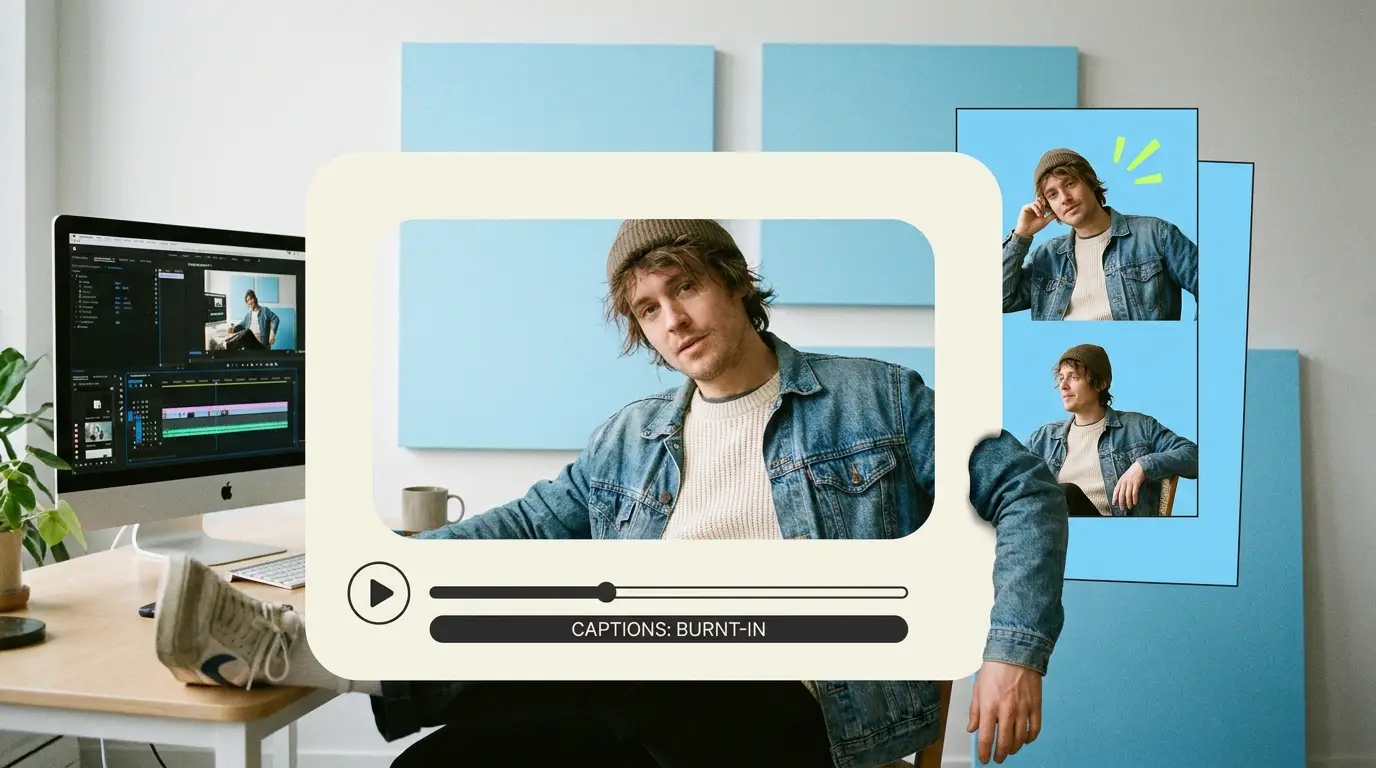
A video captioning service is the difference between a B2B video that gets scrolled past and one that gets watched to the end. Most of your audience watches on a phone, in an open-plan office or a quiet train, with the sound off. If your message only lives in the audio, it never reaches them. Captions put your words on screen so the video works whether the volume is up or down, and that single change often does more for watch time than any other edit.
This guide covers why captions matter so much for B2B, the real gap between auto-captions and human-checked captions, the formats you will actually use, what a video captioning service costs, and how a subscription editor delivers captions on every video without you ever having to ask.
Why captions decide whether B2B video works
Sound-off viewing is the default now, not the exception. People scroll LinkedIn during meetings, watch Reels on mute in bed, and open videos in browser tabs they would rather not announce to the room. When a video autoplays silently and there are no words on screen, the viewer has nothing to hold onto, so they keep scrolling. Captions give them a reason to stop.
The numbers behind video adoption back this up. According to Wyzowl, 91% of businesses use video as a marketing tool, and 82% of people say a video has convinced them to buy a product or service. That demand only converts if the video actually gets watched, and on muted feeds, captions are what keep eyes on the screen long enough for the message to land.
There is also a watch-time effect that platforms reward. When viewers can follow along without sound, they stay longer, and longer view duration is one of the signals LinkedIn, Instagram, and YouTube use to decide who else sees your video. Captions are not a finishing touch. They are part of how the algorithm grades your content.
Then there is accessibility, which is both the right thing to do and a practical reach decision. Captions open your video to viewers who are deaf or hard of hearing, to non-native speakers who read more comfortably than they listen, and to anyone whose attention is split. For B2B brands selling to large organizations, accessible content is increasingly an expectation in procurement and brand guidelines, not a nice-to-have.
Auto-captions versus human-checked captions

Every platform now offers automatic captions, and that is exactly why so many B2B videos ship with sloppy ones. Auto-captions are generated by speech recognition, and they are good until they are not. The failures cluster in the places that matter most for B2B: product names, acronyms, technical terms, people's names, and anything said quickly or with an accent.
Picture a founder explaining their "API-first architecture" and the auto-caption rendering it as "a pie first architecture." Or a SaaS demo where the product name turns into a random common word every time it is spoken. These errors do not just look careless. They actively confuse the viewer about the one thing you most want them to remember, and they undercut the authority you are trying to build.
Human-checked captions fix this. A real editor reviews the auto-generated draft against what was actually said, corrects the terminology, fixes punctuation, and adjusts timing so captions appear in sync with speech rather than lagging or racing ahead. They also break lines sensibly, so a caption does not split mid-phrase in a way that makes it hard to read in the half-second it is on screen.
The other thing a human handles is reading pace. Good captions show one or two lines at a time, held long enough to read but not so long they fall out of sync. Auto-captions often dump a full sentence on screen at once or flicker word by word, both of which hurt comprehension. The craft of captioning is as much about pacing and placement as it is about accuracy, and that is the part automation still gets wrong. If you are producing short-form video for B2B, where every second counts, clean caption pacing is not optional.
Burned-in captions versus SRT files
Once your captions are accurate, you have to decide how they get attached to the video. There are two main formats, and B2B teams usually need both.
Burned-in captions, sometimes called open captions, are rendered directly into the video frame as pixels. They are always visible, they cannot be turned off, and they look exactly the way the editor designed them: your brand font, your colors, your positioning. This is the format you want for social feeds, because platforms autoplay muted and you cannot rely on the viewer to toggle anything. Burned-in captions are also where styling lives, animated word highlights, keyword emphasis, and placement that avoids platform UI elements at the bottom of the screen.
SRT files are separate text files that carry the caption text plus timing data. The video and the captions stay separate, so the viewer can turn captions on or off, and platforms like YouTube and LinkedIn can read the file to make your content searchable and indexable. SRT is also what you upload when a platform needs an accessibility-compliant track, and it is reusable: one SRT file can be translated into other languages or repurposed when you cut the video differently.
In practice, a complete video captioning service delivers both. Burned-in captions for the social-first cut that has to work on mute, and an SRT file for the platform upload and the accessibility record. If you are running a content repurposing workflow, having the SRT on hand means each new cut of a video can carry captions forward without starting from scratch.
What a video captioning service costs

Captioning pricing follows the same shape as the rest of video editing: it depends on whether you hire, freelance, contract an agency, or subscribe. Here is how the options compare for a B2B team producing video regularly.
Hiring an in-house editor who handles captioning along with everything else runs roughly $55,000 to $75,000 per year in salary, according to ZipRecruiter, before benefits, software, and management overhead. That makes sense at high volume but is a heavy fixed cost if you are publishing a handful of videos a month.
Freelancers typically charge $75 to $250 per video for editing with captions included, though pricing varies with turnaround and complexity. The work can be excellent, but you are coordinating availability, briefing each project from scratch, and absorbing the risk that your editor disappears mid-campaign.
Agencies sit at the top, often $500 to $5,000 or more per project, which buys polish and process but rarely fits the always-on cadence B2B social demands. Across the broader market, full-service video editing tends to land somewhere between $500 and $3,000 depending on scope. The trouble with per-project pricing is that captioning your weekly clips turns into a stack of invoices and a budget you cannot predict.
A subscription model changes the math. Instead of paying per video or per caption, you pay a flat monthly rate for an editor who handles your whole pipeline, captions included on every deliverable. For B2B teams the cross-platform numbers in HubSpot's video marketing research make the case for steady output, and a subscription is built for exactly that steady output rather than one-off projects. If you want a deeper breakdown of the model, our video editing subscription guide walks through how it compares to the alternatives.
How a subscription editor delivers captions on every video
The real advantage of a subscription is that captioning stops being a separate decision. You do not request captions, approve a captioning quote, or wait on a specialist. Your dedicated editor treats captions as a standard part of every deliverable, the same way they treat color correction or audio cleanup.
That means a consistent caption style across all your videos, the same font, the same placement, the same brand color, so your feed looks like it comes from one company rather than five different tools. It means accuracy, because the same person who knows your product names and your terminology is the one checking every line. And it means both formats arrive together: the burned-in social cut and the SRT file, without you specifying which.
Turnaround matters here too. When captioning is part of a 48-hour delivery cycle, you are not adding days to your timeline for a separate captioning pass. The captions ship with the edit, ready to post. If a line is wrong or a placement clashes with the platform UI, unlimited revisions mean you flag it and it is fixed, with no change order and no extra fee. This consistency is part of why a done-for-you editing service tends to outperform a patchwork of freelancers for teams publishing on a schedule.
What Pixel8 Production offers

Pixel8 Production is a done-for-you B2B video editing subscription, and captioning is built into every edit we deliver. You get a dedicated editor who learns your product, your terminology, and your brand style, so captions are accurate and on-brand from the first video, not after three rounds of corrections.
Our pricing is flat: $2,000 to $3,200 per month, with no per-project fees and no per-caption charges. Captions come standard on every deliverable, in both burned-in and SRT formats when you need them. Turnaround is 48 hours, and revisions are unlimited, so if a caption needs a fix you flag it and we handle it without a new invoice.
The model is designed for B2B SaaS companies, agencies, founders, and professional-services firms that publish video consistently and need every clip to work on muted feeds. Instead of stitching together a freelancer for editing and a tool for captions, you get one editor who delivers the finished, captioned video ready to post. If you are building a LinkedIn video strategy or working out which B2B video types convert, having captions handled on every asset removes one more thing from your plate.
Bottom line
Captions are not a finishing flourish on a B2B video. They are what makes the video work at all on muted, fast-scrolling feeds, and they are a direct lever on watch time, reach, and accessibility. Auto-captions get you part of the way, but the product names and terminology they get wrong are exactly the words you most need right. A real captioning pass, delivered in both burned-in and SRT formats, is the standard B2B work calls for.
The cleanest way to get that on every video is a subscription editor who treats captions as a default, not an add-on. With Pixel8 Production, captioning is built into a flat $2,000 to $3,200 per month, with a dedicated editor, 48-hour turnaround, unlimited revisions, and no per-project fees. If you want to compare your options first, our roundup of the best video editing services is a good place to start.
Where to go from here
Frequently asked questions
Do I really need captions on B2B videos?
Yes, because most of your audience watches with the sound off, especially on LinkedIn and Instagram. Without captions, a muted autoplay video has no words for the viewer to read, so they keep scrolling. Captions are one of the most reliable ways to improve watch time and reach on social feeds.
What is the difference between auto-captions and human-checked captions?
Auto-captions are generated by speech recognition and usually get the easy words right while mangling product names, acronyms, and technical terms. Human-checked captions have a real editor correct those errors, fix punctuation, and sync the timing so the captions match the speech. For B2B content where accuracy of terminology matters, the human pass is worth it.
Should I use burned-in captions or SRT files?
Use both for most B2B work. Burned-in captions are rendered into the video and always visible, which is essential for muted social feeds and lets you control the styling. SRT files are separate, toggleable text files that platforms read for search and accessibility, and they are reusable for translation or re-cuts.
How much does a video captioning service cost?
It depends on the model. Freelancers charge roughly $75 to $250 per video with captions included, agencies run $500 to $5,000 or more per project, and an in-house editor costs about $55,000 to $75,000 per year. Full-service video editing across the market generally runs $500 to $3,000 depending on scope.
Does a video editing subscription include captions?
With Pixel8, yes. Captions are a standard part of every deliverable rather than an add-on you request or pay extra for. You get burned-in captions for social cuts and SRT files for platform uploads, all within the flat monthly price.
How fast can I get captions on my videos?
With a subscription editor on a 48-hour turnaround, captions ship with the edit rather than adding a separate pass to your timeline. Because the captioning happens alongside the rest of the edit, you are not waiting extra days for a specialist or coordinating a second vendor.
Can captions be styled to match my brand?
Yes. Burned-in captions can use your brand font, colors, and placement, so every video in your feed looks consistent. A dedicated editor who knows your brand applies the same caption style across all your videos, which is harder to achieve when you switch between freelancers or rely on platform auto-captions.

Prakhar Mehta
Pixel8 is a done-for-you video editing subscription, giving SaaS companies, agencies, and founders a dedicated editing team with 48-hour turnaround.
Ready to stop doing this yourself?
Get a dedicated video editing team. 48-hour turnaround, unlimited revisions, month-to-month.