LinkedIn Video Editing Service: A Guide
A LinkedIn video editing service turns raw founder and exec clips into polished, caption-led B2B videos that build authority and pipeline. Here is how.
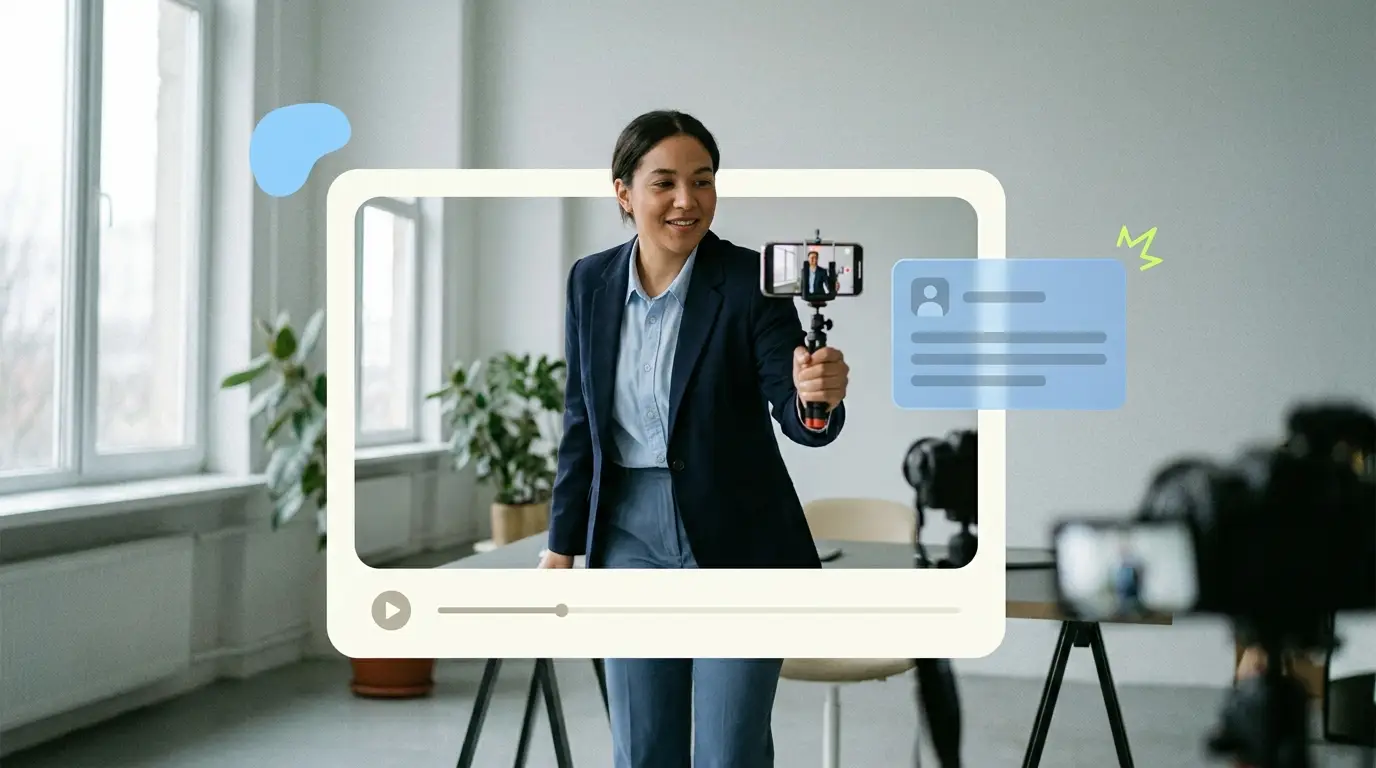
A LinkedIn video editing service takes the raw footage you record on your phone or webcam and turns it into a polished, caption-led video that looks like it belongs on the feed of a serious B2B brand. For founders, executives, and marketing teams, that difference matters. A shaky, uncut clip reads as an afterthought. A clean cut with sharp captions, tight pacing, and a confident frame reads as authority. This guide explains what a good LinkedIn video editing service actually does, what to look for when you hire one, and what it should cost.
The reason this work is worth paying for is simple. People decide whether to keep watching in the first two seconds, and they decide whether to trust you in the first ten. Editing controls both. The story you tell is yours, but the polish is what gets the story watched.
Why LinkedIn video is worth the effort
Video is no longer optional for B2B. Wyzowl reports that 91% of businesses use video as a marketing tool, and 82% of people say a video has convinced them to buy a product or service. On LinkedIn specifically, video gives a face and a voice to a brand that would otherwise be a logo and a string of text posts. That is exactly the kind of trust signal that moves a B2B buyer from passive scrolling to a saved post, a follow, or a reply in your inbox.
The catch is that LinkedIn is a professional context. The bar for polish is different from a casual platform. A founder talking to camera about a hard-won lesson can build real pipeline, but only if the video respects the viewer's time and attention. That is where consistent, professional editing earns its keep.
What a LinkedIn video editing service actually does

A good service does far more than trim the start and end of a clip. The work breaks down into a few clear jobs.
First, it shapes the story. An editor watches your raw footage, finds the strongest take, cuts the filler, and tightens the pace so the point lands fast. A ninety-second ramble becomes a forty-five-second statement that holds attention to the end.
Second, it adds captions. Most LinkedIn video plays without sound at first, so on-screen captions are not a nice extra. They are the difference between a watched video and a skipped one. Good captions are accurate, well timed, and styled to match your brand rather than dropped in as a generic auto-transcript.
Third, it gets the framing right. LinkedIn video plays well in square (1:1) and vertical (4:5 or 9:16) formats that take up more screen space in the feed than a standard widescreen clip. A service that knows the platform delivers in the right aspect ratio rather than forcing you to crop a horizontal video by hand.
Fourth, it keeps you consistent. The same intro style, the same caption font, the same color treatment, post after post. That consistency is what turns scattered clips into a recognizable presence. Our guide to executive thought leadership video on LinkedIn goes deeper on how this consistency compounds into authority over time.
The thought-leadership tone matters
There is a specific tone that works for LinkedIn, and it is not the same as a TV ad or a YouTube vlog. The goal is to sound like a credible person sharing a useful idea, not a brand performing at you. A LinkedIn video editing service that understands B2B will edit toward that tone. It keeps the cuts clean but not flashy. It lets the speaker breathe. It uses graphics to support a point rather than to show off.
This is the difference between an editor who works on wedding videos and one who works on talking-head content for executives. The skills overlap, but the instincts do not. If you want the thought-leadership read, hire someone who edits for it. Our breakdown of a talking-head video editing service covers the specific craft that goes into making a single person on camera look sharp and feel trustworthy.
What to look for when you hire one

Use this as a checklist when you evaluate any LinkedIn video editing service.
A thought-leadership read. Ask for samples of single-speaker, idea-driven content, not just product promos. The tone should feel calm and credible.
Talking-head polish. Look at how they handle a person on camera. Is the audio clean? Is the color natural? Are the jump cuts smooth, or do they jar? This is the core skill for LinkedIn.
Caption quality. Check the captions in their samples. Are they accurate? Are they timed to the speech? Are they styled, or are they raw auto-generated text? Captions are where amateur work shows fastest.
Correct formats. Confirm they deliver in square and vertical, not just widescreen. Ask which aspect ratios they default to and whether they will repurpose one recording into multiple cuts.
Consistency. Look for a repeatable style across a client's posts. A one-off great video is easy. A great video every week is the actual job.
Turnaround you can plan around. A predictable schedule beats a fast-but-random one. You want to know that footage you send Monday is back by a known day, every time.
Volume that fits your cadence. If you want to post twice a week, make sure the service can handle that month after month without quality slipping.
Turnaround, volume, and consistency
These three factors decide whether you can actually keep a posting habit alive. Authority on LinkedIn is built by showing up regularly, not by posting one perfect video and disappearing for a month.
Turnaround sets your floor. If edits take a week, you cannot react to anything timely, and your calendar is always behind. A 48-hour turnaround, which is what we offer at Pixel8, means you can film a thought on Tuesday and post it Thursday while it is still fresh.
Volume sets your ceiling. A freelancer juggling ten clients may cap you at a few edits a month. A subscription model built for ongoing output can scale with you. If you are thinking about repurposing long recordings into many short posts, our piece on short-form video editing explains how one filming session can feed weeks of content.
Consistency ties it together. The same editor, learning your voice over time, produces better and faster work than a rotating cast of strangers who restart from zero each time.
What it costs

Pricing for video editing spans a wide range, and the right number depends on how much you produce and how reliable you need it to be. Here is the honest market picture.
Hiring in-house. A full-time video editor in the United States costs roughly $55,000 to $75,000 per year, according to ZipRecruiter salary data, before benefits, software, and equipment. That makes sense only at high, steady volume.
Freelancers. Per-video freelance rates typically run $75 to $250 per video depending on length and complexity. Good for occasional work, but quality and availability vary, and you carry the management load.
Agencies and project work. Traditional agencies charge anywhere from $500 to $3,000, and full productions can run to $5,000 or more per project. Strong for big launches, expensive for a weekly LinkedIn habit.
Subscription editing. A monthly model gives you a dedicated editor and a set output for a flat fee. This is the sweet spot for consistent LinkedIn video, because the cost is predictable and the relationship compounds. For a wider comparison of the options, see our best video editing services compared guide.
The math that matters: the value of LinkedIn video is in consistency, and consistency is cheapest to buy when the cost is fixed and the editor already knows your style.
What Pixel8 Production offers
Pixel8 Production is a done-for-you B2B video editing subscription built for exactly this kind of ongoing LinkedIn output. You send raw footage, and you get back polished, caption-led, platform-ready video.
Here is how it works. You get a dedicated editor who learns your voice and your visual style, so the work gets sharper and faster over time instead of restarting with every project. Turnaround is 48 hours, so you can keep a real posting cadence. Revisions are unlimited, so you are never stuck with a cut that is almost right. And the price is a flat $2,000 to $3,200 per month, which makes budgeting simple and removes the per-video math that makes freelancers hard to plan around.
The model is designed for founders and B2B teams who want to post consistently without building an in-house edit bay or chasing freelancers. If you want the full picture of how a subscription model compares to other ways of getting video edited, our done-for-you video editing service guide lays it out.
What you get is talking-head polish, branded captions, square and vertical delivery, and a consistent look across every post. The kind of editing that makes a LinkedIn video read as professional thought leadership rather than a quick clip filmed between meetings.
How to get started without overthinking it
The biggest mistake founders make is waiting for a perfect setup. You do not need a studio. You need a quiet room, decent light, your phone, and a point of view worth sharing. The editing handles the rest.
Start by recording three or four short clips on topics you know cold. Hand them to a service and see what comes back. Watch how they handle your captions, your pacing, and your framing. If the first batch reads as polished and on-brand, you have your answer. If it does not, you learned that cheaply.
From there, set a cadence you can sustain. Twice a week is plenty for most founders. The editor handles consistency, and you handle showing up with ideas. According to HubSpot's video marketing research, video continues to be one of the highest-performing content formats for marketers, and the brands that win are the ones that publish regularly rather than perfectly.
Bottom line
A LinkedIn video editing service is the difference between footage that sits on your phone and video that builds authority and pipeline. The work that matters is the thought-leadership tone, the talking-head polish, the captions, the right formats, and above all the consistency to keep showing up. Get those right, and a face-to-camera habit becomes one of the most credible marketing assets a B2B brand can own. If you want that handled on a predictable schedule for a flat fee, a subscription model like Pixel8's, with a dedicated editor, 48-hour turnaround, and unlimited revisions at $2,000 to $3,200 per month, is built for exactly this.
Where to go from here
Frequently asked questions
What is a LinkedIn video editing service?
It is a service that takes your raw footage and edits it into polished, caption-led video formatted for the LinkedIn feed. The work includes story shaping, cutting filler, adding branded captions, and delivering in square or vertical formats so the video performs well in a professional context.
Why do LinkedIn videos need captions?
Most LinkedIn video starts playing without sound, so viewers read before they listen. Accurate, well-timed captions keep people watching and make your point land even on mute. Captions are one of the clearest markers of professional editing versus a quick raw clip.
What aspect ratio is best for LinkedIn video?
Square (1:1) and vertical (4:5 or 9:16) formats take up more space in the feed than widescreen and tend to hold attention better on mobile. A good editing service delivers in these formats by default rather than asking you to crop a horizontal video yourself.
How fast should turnaround be?
Fast enough to keep a posting habit alive. A 48-hour turnaround, which is what Pixel8 offers, lets you film a timely thought and post it while it is still relevant. Week-long turnarounds make it hard to stay consistent or react to anything current.
How much does a LinkedIn video editing service cost?
The market ranges widely. Freelancers charge roughly $75 to $250 per video, agencies and project work run $500 to $3,000 or more, and an in-house editor costs $55,000 to $75,000 a year. Pixel8's subscription is a flat $2,000 to $3,200 per month for dedicated, ongoing output. A $900 trial is available to test the service before committing to a monthly plan.
Do I need professional equipment to film?
No. A phone or webcam in a quiet, well-lit room is enough to start. Editing is what makes the footage look professional. The point of view and the delivery matter far more than the camera, and a good editor can make simple footage look sharp.
Is a subscription better than hiring a freelancer?
For consistent LinkedIn output, usually yes. A subscription gives you a dedicated editor who learns your style, predictable turnaround, and a flat cost you can budget around. Freelancers work well for occasional one-off projects but are harder to plan a regular cadence around.

Prakhar Mehta
Pixel8 is a done-for-you video editing subscription, giving SaaS companies, agencies, and founders a dedicated editing team with 48-hour turnaround.
Ready to stop doing this yourself?
Get a dedicated video editing team. 48-hour turnaround, unlimited revisions, month-to-month.