How to Edit a Product Launch Video (Step by Step)
Learn how to edit a product launch video for SaaS: structure, pacing, screen-recording cleanup, motion graphics, music, captions, and ad cut-downs that convert.
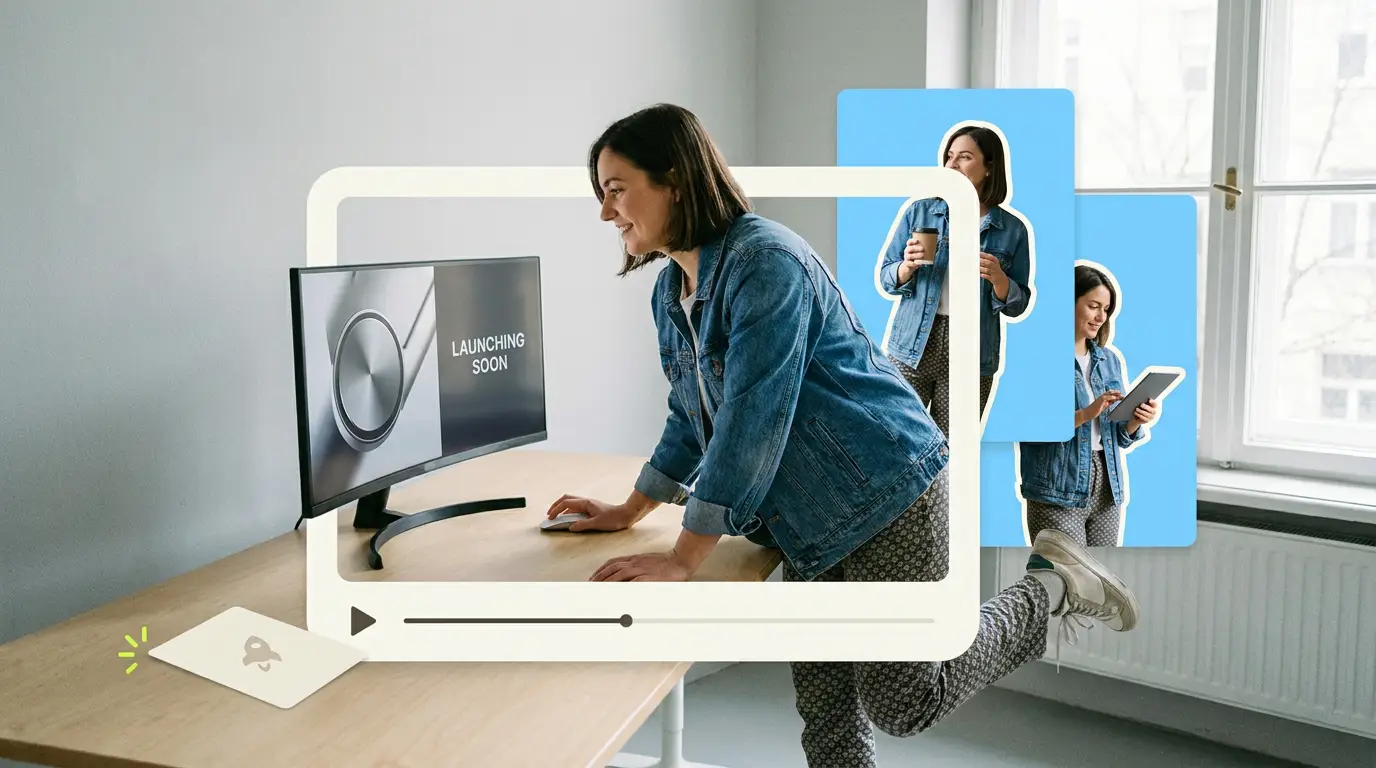
You shipped a feature, recorded a demo, and now you have 40 minutes of raw footage that nobody will watch. Knowing how to edit a product launch video is the difference between a clip that drives signups and one that dies at a 20 percent retention rate. This guide walks through the exact edit, from structure and pacing to screen-recording cleanup, motion graphics, music, captions, and the cut-downs you need for ads and social. It is built for SaaS teams who want a launch video that actually moves the metrics that matter.
Video works when it is done well. According to Wyzowl, 91% of businesses use video as a marketing tool, and 82% say a video convinced them to buy a product or service. The problem is that most launch videos are not edited with intent. They are screen recordings with a voiceover slapped on top. Below is the process that turns raw assets into something people finish.
Start with the story structure, not the timeline
Before you trim a single frame, write the structure. A product launch video for SaaS follows a reliable arc, and editing against that arc keeps you from drowning in footage.
The five beats:
- Hook (0 to 5 seconds). Open on the outcome or the pain. Do not open on your logo. Show the result your product creates, or name the frustration your viewer feels every day.
- Problem (5 to 20 seconds). Make the pain specific. "Your team copies data between four tools every morning" beats "workflows are hard."
- Reveal (20 to 40 seconds). Introduce the product or feature as the answer. This is the moment the screen recording earns its place.
- Benefits (40 to 75 seconds). Show two or three concrete outcomes, not a feature tour. Tie each to time saved, money saved, or errors avoided.
- CTA (final 10 seconds). One clear action. "Start a free trial," "Book a demo," "See pricing." Never two.
Write this on paper first. Then assemble a rough cut that hits each beat in time. If your reveal does not arrive by the 40-second mark, the edit is too slow. Our breakdown of SaaS product demo video best practices goes deeper on sequencing the reveal so it lands.
Build the rough cut to set pacing

The first edit is about rhythm, not polish. Drop your selects onto the timeline in story order and watch the whole thing once without touching anything.
Pacing rules that hold up for launch videos:
- No shot longer than 4 seconds without a change. Cut, zoom, push in, or add a graphic. The eye needs movement.
- Trim every pause in the voiceover. Silence between sentences should be tight, around 200 to 400 milliseconds. Long gaps read as dead air on social.
- Front-load the value. If a viewer drops at 30 seconds, they should already understand what the product does and why it matters.
- Match cuts to the voiceover beats. A new sentence is usually a new shot or a new on-screen state.
A common mistake is editing for the person who already loves the product. Edit for the skeptic who has never heard of you and will leave in three seconds. That mindset alone fixes most pacing problems.
Clean up the screen recording
Screen recordings are the heart of a SaaS launch video and the most commonly botched part of the edit. Raw recordings are slow, full of dead clicks, and visually noisy.
Here is the cleanup checklist:
- Speed up dead time. Loading states, typing, and navigation should run at 150 to 400 percent speed. Nobody needs to watch a real-time page load.
- Cut the misclicks. If you fumbled a menu in the recording, cut it. The product should look effortless.
- Zoom and pan to direct attention. A full 1440p dashboard is unreadable on a phone. Punch into the exact button, field, or chart you are talking about. Animate the zoom so it feels intentional.
- Clean the data. Replace test accounts named "asdf" and "test@test.com" with realistic, on-brand sample data. Blur anything sensitive.
- Hide the chrome. Crop out browser tabs, bookmarks, and your messy desktop unless they add meaning.
- Add a subtle cursor highlight. A soft circle or click ripple helps viewers follow where the action happens.
Re-recording a clean take is often faster than salvaging a messy one. If your raw capture is full of errors, record again with a script in front of you.
Add motion graphics that explain features

Motion graphics turn an abstract feature into something a viewer understands instantly. The goal is clarity, not decoration.
Use motion graphics for:
- Callout labels. When you show a feature, a short animated label naming it helps recall. Keep text to three or four words.
- Step counters and progress. "Step 1 of 3" framing helps viewers follow a multi-step workflow.
- Before and after. Animate the old painful way next to the new fast way. This single technique communicates value faster than any voiceover.
- Data and results. A number that counts up ("save 6 hours a week") lands harder than a static figure.
- Connective tissue. Simple transitions and a branded lower-third keep the piece feeling produced, not thrown together.
Keep it restrained. Two or three motion-graphic moments in a 90-second video is plenty. Overloaded animation distracts from the product, which is the opposite of what a launch video should do. For more on which formats earn this kind of treatment, see our guide to B2B video content types that convert.
Pick music and mix the audio
Audio is half the edit, and bad audio is the fastest way to lose a viewer. Most people will forgive imperfect visuals but not muddy sound.
Music guidance:
- Match energy to the arc. Start understated under the problem, lift into the reveal, peak on the benefits, and resolve on the CTA.
- Keep it under the voiceover. Music should sit around minus 18 to minus 24 dB beneath narration. You should feel it, not fight it.
- Use licensed tracks only. Pull from a licensed library so you are never at risk on an ad platform.
Mixing essentials:
- Normalize the voiceover to a consistent level, usually around minus 3 dB peak.
- Add light compression so quiet and loud words sit closer together.
- Use UI sound effects sparingly. A subtle click or whoosh on a key transition adds polish. A sound on every cut becomes noise.
- Duck the music automatically under speech so narration always stays clear.
Add captions for sound-off viewing

A large share of social and feed video is watched on mute, so captions are not optional. They also widen reach, since HubSpot research shows short-form video continues to deliver the strongest engagement of any format.
Caption best practices:
- Burn captions in for social. Platform auto-captions are inconsistent. Hardcode styled captions so they always appear.
- Keep them readable. One or two lines, large enough to read on a phone, with a background or stroke for contrast.
- Sync tightly. Words should appear as they are spoken, not a beat late.
- Match your brand. Use your font and accent color so captions reinforce identity instead of looking generic.
- Keep titles and CTAs accessible. Anything you say in the CTA should also appear as on-screen text.
Cut it down for ads and social
Your full launch video is one asset. The real return comes from the cut-downs you derive from it. One edit should fuel a week of distribution.
Produce these versions:
- The hero (60 to 90 seconds). The full story for your site, email, and YouTube.
- The 30-second ad. Hook, one core benefit, CTA. Strip the middle. Built for paid placements where attention is rented.
- The 15-second ad. Hook plus CTA. One idea, one action.
- Vertical social cuts (9:16). Reframe to 1080x1920 for Reels, Shorts, and TikTok. Reframe by repositioning the action, not by squashing the footage.
- Square (1:1) for feeds. Still common in feed placements.
- Silent GIF or short loop. A six-second loop of the single best moment for embeds and social previews.
Plan these from the start. If you shoot and edit knowing you need a 9:16 version, you keep the action centered so reframing is painless. Our overview of short-form video editing covers how to build these cut-downs without re-editing from scratch each time.
Common mistakes to avoid
- Opening on the logo. Earn the logo with the hook first.
- Touring every feature. A launch video sells one or two outcomes, not the whole product map.
- Real-time screen recordings. Speed them up or you lose the viewer.
- A weak or doubled CTA. One action, stated clearly, on screen and in voiceover.
- No captions. You are leaving the muted majority behind.
- Forgetting the cut-downs. A single 90-second video on your homepage is a fraction of the value you could get.
What it costs to get this done
Editing a launch video to this standard takes real time and skill. Your options:
- In-house editor. A full-time video editor runs $55,000 to $75,000 per year in salary, plus software and benefits. Worth it only if you publish video constantly.
- Freelancers. Typically $75 to $250 per video for straightforward edits. Quality and availability vary, and a true launch edit with motion graphics costs more.
- Agencies. Project work runs from $500 to $5,000 or more depending on scope. Strong quality, but slow and expensive for ongoing needs.
- Subscription editing. A flat monthly rate with unlimited or high-volume requests, built for teams shipping launches and content regularly.
General market editing falls in the $500 to $3,000 range depending on who does it and how complex the work is. The question is not just price, it is turnaround and consistency.
What Pixel8 Production offers
Pixel8 Production is a done-for-you B2B video editing subscription built for SaaS teams that ship often. You send raw footage, screen recordings, and a brief, and a dedicated editor turns it into a finished launch video plus the ad and social cut-downs, with a 48-hour turnaround on most requests.
Pricing is a flat $2,000 to $3,200 per month, with no per-video invoices and no scoping back and forth. You get the same editor who learns your product, your brand, and your style, so each launch edit gets sharper. It sits between hiring in-house and one-off freelancers: the consistency and product knowledge of a hire, without the salary or the hiring risk. Learn more about our done-for-you video editing service, or if you are weighing building versus buying production, read our take on outsourcing explainer video production for SaaS.
Bottom line
Knowing how to edit a product launch video comes down to discipline: a tight story structure, fast pacing, clean screen recordings, restrained motion graphics, a balanced mix, burned-in captions, and a full set of cut-downs for ads and social. Do those well and a launch video stops being a chore and starts driving signups. If you would rather hand the editing to a dedicated team and keep shipping, Pixel8 Production handles the whole process for a flat $2,000 to $3,200 per month with a 48-hour turnaround.
Where to go from here
Frequently asked questions
How long should a product launch video be?
Aim for 60 to 90 seconds for the hero version on your site and YouTube. That is long enough to hook, reveal, and show benefits without losing the skeptic. Then cut it down to 15 and 30-second versions for ads and vertical social.
What is the right structure for a SaaS launch video?
Use five beats: hook, problem, reveal, benefits, and CTA. Open on the outcome or pain rather than your logo, introduce the product as the answer by the 40-second mark, and close with a single clear action. Editing against this arc keeps the piece tight.
How do I clean up a screen recording for a launch video?
Speed up dead time like loading and typing to 150 to 400 percent, cut any misclicks, zoom into the exact element you are discussing, replace test data with realistic samples, and add a subtle cursor highlight. Re-recording a clean take is often faster than fixing a messy one.
Do I need captions on a product launch video?
Yes. A large share of social and feed video is watched on mute, so burn in styled captions rather than relying on platform auto-captions. Keep them to one or two lines, sync them tightly to the voiceover, and match your brand font and color.
What cut-downs should I make from a launch video?
Produce a 60 to 90-second hero, a 30-second ad, a 15-second ad, vertical 9:16 cuts for Reels and Shorts, a 1:1 square for feeds, and a short silent loop. Plan these from the start so reframing to vertical stays easy.
How much does it cost to edit a product launch video?
It depends on who does the work. Freelancers run $75 to $250 per video, agencies charge $500 to $5,000 or more per project, and an in-house editor costs $55,000 to $75,000 per year. Pixel8 Production runs a flat $2,000 to $3,200 per month for done-for-you editing. A $900 trial is available to test the service before committing to a monthly plan.
How long does editing a launch video take?
A polished launch edit with screen-recording cleanup, motion graphics, music, and captions typically takes several days of focused work, plus revisions. With Pixel8 Production, most requests turn around in 48 hours because a dedicated editor already knows your product and brand.

Prakhar Mehta
Pixel8 is a done-for-you video editing subscription, giving SaaS companies, agencies, and founders a dedicated editing team with 48-hour turnaround.
Ready to stop doing this yourself?
Get a dedicated video editing team. 48-hour turnaround, unlimited revisions, month-to-month.