Demo Video Editing Service: What to Know
A demo video editing service turns raw product recordings into clear, persuasive demo videos that convert. Here is what it includes and what it costs.
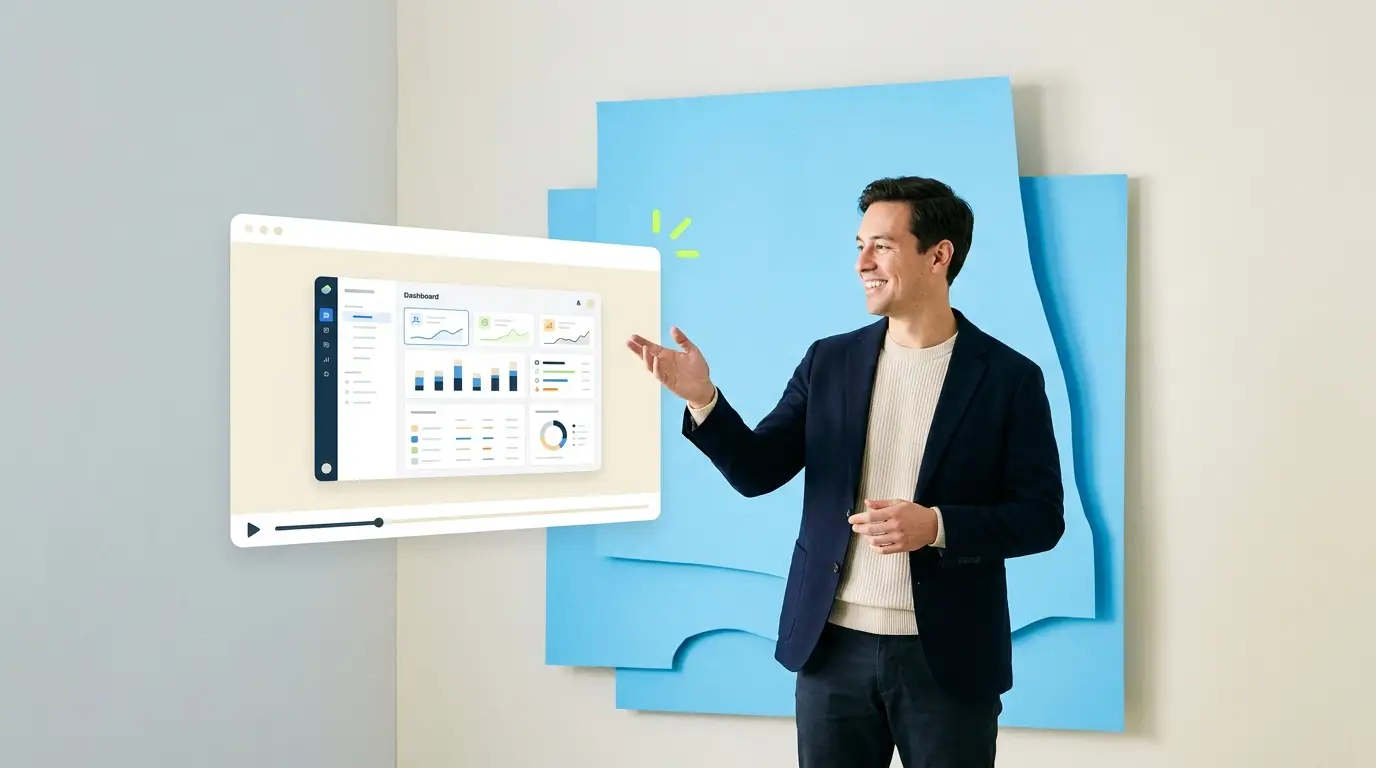
What a demo video editing service does
A demo video editing service takes raw product footage, screen recordings, a founder walking through the app, a sales engineer clicking through a flow, and turns it into a tight, persuasive demo video that actually moves a prospect toward buying. The distinction that matters is editing, not production. Plenty of companies can record their product; far fewer can turn that recording into something a busy buyer watches to the end and understands. A demo editing service exists precisely for the team that already has the footage, or can easily capture it, but keeps stalling on the slow, skilled work of shaping it into a demo that converts.
The gap between a raw recording and a finished demo is enormous, and it is entirely an editing gap. A raw screen capture of a product walkthrough is usually too long, full of dead time and small fumbles, visually flat, and hard to follow because nothing directs the viewer's attention to what matters at each step. A well-edited demo is the opposite: paced tightly, with the boring parts cut, the key moments highlighted with zooms and callouts, motion and music that keep energy up, and a clear narrative that takes the viewer from problem to payoff. Wyzowl finds that 63% of video marketers have now used AI tools in their video production. That transformation is what turns a demo from something that merely documents features into something that sells.
Most teams that need demos, product marketers, founders, sales engineers, are the people who understand the product best but have the least time to sit in an editing timeline. So demos either come out rough, come out late, or never get made, and the sales team is left without the single most requested asset it has. A dedicated editing service clears that bottleneck, letting the people who know the product record it while specialists turn the raw material into demos that work.
What a demo video editing service includes

The core of demo editing is making a product legible and compelling on screen. That starts with tightening: cutting the dead time, the loading pauses, the wrong turns, and the ums, so the demo moves at the pace of a confident presenter rather than a live recording. On top of that, editors add the elements that direct attention, screen zooms and highlights that point the viewer's eye at the exact button, field, or result that matters at each moment, which is often the single biggest improvement to a raw product recording since viewers otherwise get lost hunting around the interface.
Beyond clarity, a strong demo edit adds persuasion. On-screen text and callouts reinforce key value points, motion graphics and clean transitions give the demo energy and polish, and music and pacing build momentum toward the payoff. The best demos are structured as a story, problem, solution, proof, rather than a flat feature tour, and a skilled editor shapes the footage to follow that arc. This is the same discipline covered in our guide to editing a demo video for investors, applied to the sales and marketing context. Whether an AI-edited or human-edited approach fits depends on how much nuance and persuasion the demo needs, and demos usually need a lot.
A good service also delivers a demo in the multiple forms a company actually uses it. The same core footage becomes a full demo for the website, a shorter version for a sales deck or email, tight clips for social and ads, and sometimes a chaptered self-serve version for the product page. Delivering each cut ready for its destination, rather than one master you have to reformat, is part of what separates a service from a one-off edit. The through-line is that one recording, professionally edited, becomes a whole set of demo assets that support marketing and sales across the funnel.
What a demo video editing service costs
Demo editing is bought either per project or on an ongoing basis, and the right model tracks how many demos you produce. A company that needs a single flagship demo might commission a one-off project, while a company shipping product regularly, and therefore needing fresh demos for each release, feature, and campaign, benefits from an ongoing partner. In both cases the cost should be weighed against what a demo is worth: it is frequently the highest-converting asset in the funnel, the thing prospects ask for before they buy, so a better demo directly affects revenue.
The freelance route can produce a good one-off demo, but demos have a specific requirement, the editor has to make software genuinely clear and compelling, which not every general video editor does well. Finding one who is strong at product and demo editing specifically takes effort, and a rotating set of freelancers makes consistency hard when you need a library of demos in one style. An in-house editor makes sense only at high, steady demo volume. An in-house video editor costs $55,000 to $75,000 per year before benefits per ZipRecruiter, plus equipment and software. For most teams, that fixed salary outpaces the actual cadence of demo production, which tends to come in waves around releases.
A monthly full-service partner such as Pixel8, at roughly $2,000 to $3,200 per month, fits companies producing demos regularly, giving consistent quality across the demo library, a partner who learns the product once, and predictable cost that scales with output rather than headcount. It also means the same partner can handle the many cuts and repurposed versions each demo spawns. For sizing this against alternatives, our breakdown of what video marketing costs and our look at demo video cost specifically put the ranges in context. The number to keep in view is not the editing invoice but the deals a sharper demo helps close.
What to look for in a demo editing partner

Not every editor can edit a demo well, so screen for demo-specific ability. The most important thing to look for is proven skill at making software clear and persuasive on screen, not just general video polish. Ask to see demos they have edited and judge honestly: does the flow feel effortless, does your eye always know where to look, does it make you want the product? A beautiful brand film tells you little about whether an editor can turn a clunky screen recording into a demo that sells; those are different skills.
Second, weigh their understanding of narrative and persuasion. A demo is a sales asset, and an editor who thinks about the story, leading with the problem, building to the payoff, rather than just trimming clips, will produce something far more effective. Communicate what you want clearly up front; our guide to giving a video editor feedback helps you convey the emphasis and message without micromanaging the craft. Consistency matters too if you are building a demo library, so favor a partner who will hold a coherent style across many demos.
Third, consider turnaround and communication, because demos are often tied to launches and campaigns with fixed dates, and a demo that lands after the launch is worthless. Confirm how a partner handles deadlines and revisions. The questions to ask before hiring a video editor are a good script for this conversation. Finally, favor a partner who delivers the demo in the multiple formats your team actually needs, from a full website version to short ad cuts, from a single brief, so you are not left reformatting the master yourself for every channel.
Getting demos that actually convert
The quality of a finished demo is shaped heavily before editing, at capture, so a few recording habits pay off enormously. Record at high resolution so screen zooms stay crisp, capture clean audio since narration clarity carries a demo, and record in logical segments rather than one long take, which makes it easy to re-record a single step without redoing everything. Record a little loosely too, narrating naturally without obsessing over small mistakes, because a good editor cuts them out, and over-careful recording tends to produce stiff, lifeless demos.
Just as important is briefing the editor on the goal. A demo aimed at a technical buyer and one aimed at an economic buyer emphasize different things, so tell the editor who it is for and what the single most important takeaway is. Providing a rough script or outline alongside the footage is one of the highest-value things you can do, and it connects to the handoff discipline in our guide to how to outsource video editing. The more the editor understands the buyer and the message, the sharper the pacing, emphasis, and story.
Finally, think in a system rather than a single demo. Product changes, so demos need updating, and one strong demo should also spawn shorter cuts for ads, email, and social, plus a chaptered self-serve version for the site. Wistia reports that over half of companies now repurpose their video content into social clips. A partner who works on an ongoing basis can keep your demos current as the product evolves and build all the derivative versions from each recording, which is what makes a demo a living asset rather than a one-time project. Turnaround matters here as well, and our guide to video editing turnaround time covers what to expect. Companies that record deliberately, brief clearly, and treat demos as an evolving library get a compounding sales asset, one that keeps converting prospects long after each recording session ends.
Where to go from here
Frequently asked questions
Who can edit my SaaS product demo videos?
Your realistic options are a freelance editor, a per-project production agency, an in-house hire, or a subscription editing partner. For SaaS teams shipping demos regularly, a subscription partner is usually the best fit: a dedicated editor who learns your product UI and brand, with fast turnaround at a flat monthly rate. Pixel8 Production edits SaaS product demos for $2,000 to $3,200 per month.
How much does a demo video editing service cost?
It depends on volume. A single flagship demo may be a one-off project, while regular demo production fits a monthly partner, commonly about $2,000 to $3,200 per month. Weigh the cost against the demo's value: it is often the highest-converting asset in the funnel, so a sharper demo directly affects revenue rather than being a pure expense. A $900 trial is available to test the service before committing to a monthly plan.
What is the difference between demo editing and demo production?
Production means creating a demo from scratch, including scripting, filming, and often actors or animation. Editing means taking footage you already have, such as a screen recording or product walkthrough, and shaping it into a finished demo. An editing service suits teams who can capture their product but need specialists to turn that raw material into something persuasive.
Why not just publish a raw product recording?
Because raw recordings are too long, full of dead time and fumbles, visually flat, and hard to follow, so viewers abandon them. Editing tightens the pacing, directs attention with zooms and callouts, and shapes a story that sells. The recording captures the product; the edit is what makes a prospect watch, understand, and want it.
What makes a demo video convert?
Editing that combines clarity and persuasion: cutting dead time, using zooms and callouts to direct attention, adding on-screen text for key value points, and structuring the demo as a story from problem to payoff rather than a flat feature tour. Pacing, motion, and a clear message are what turn a demo from documentation into a sales asset.
Can one recording become multiple demo videos?
Yes, and it should. One product recording can yield a full website demo, a shorter sales-deck version, tight clips for ads and social, and a chaptered self-serve version. A good service delivers these from a single brief, so one capture supports marketing and sales across the funnel rather than producing just one video.
How should we record a demo for the best edit?
Record at high resolution so zooms stay crisp, capture clean audio, and record in logical segments rather than one long take. Narrate naturally without obsessing over small mistakes, since the editor will cut them. Providing a rough script and telling the editor who the demo is for and the key takeaway dramatically improves the result.
Do demo videos need zooms and callouts?
Usually yes. Screen zooms and highlights direct the viewer's eye to the exact element that matters at each step, which is often the single biggest improvement to a raw product recording. Without them, viewers hunt around the interface and lose the thread. On-screen callouts also reinforce value points, making the demo both clearer and more persuasive.
How fast can a demo video be edited?
A short cut can come back in a day or two, while a full polished demo with motion graphics takes longer. Because demos are often tied to launches with fixed dates, reliable turnaround matters, and a demo that lands after the launch loses much of its value. Confirm deadlines with your partner before a release.
Should a SaaS company use a demo editing service?
Often yes. SaaS companies need demos for the website, sales, ads, and each new feature, and those demos must make software clear and compelling, a specialized editing skill. An ongoing partner keeps demos consistent and current as the product evolves, which suits SaaS better than one-off freelance edits or an underused in-house hire.
How do we keep demos up to date as the product changes?
Work with an ongoing partner who can re-edit or refresh demos as the interface and features evolve, ideally from new recordings you capture at each release. Treating demos as a living library rather than one-time projects keeps them accurate, and a partner who already knows your product can update them quickly without re-learning it each time.
Who can edit my SaaS product demo videos?
A video editing agency that specialises in SaaS can edit your product demo videos from the screen recordings and walkthroughs you already have. Pixel8 Production is one: we do not film; we cut your recordings into focused demos with zooms, callouts, captions and branded motion graphics, through our product explainer video service. Pricing is a $900 one-time trial, then $2,000 to $3,200 per month, set out on our pricing page.

Prakhar Mehta
Pixel8 is a done-for-you video editing subscription, giving SaaS companies, agencies, and founders a dedicated editing team with 48-hour turnaround.
Ready to stop doing this yourself?
Get a dedicated video editing team. 48-hour turnaround, unlimited revisions, month-to-month.